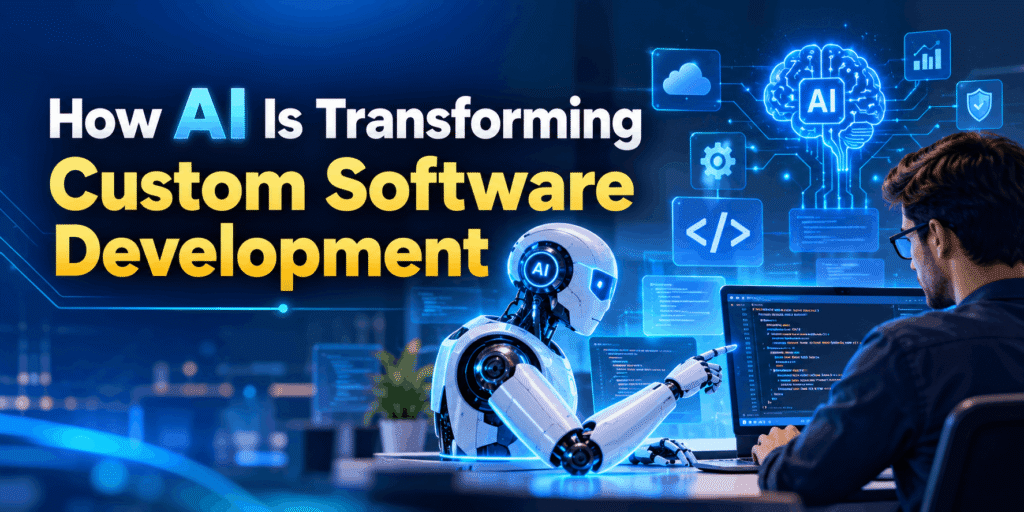
How AI Is Transforming Custom Software Development
The global tech landscape is experiencing a seismic paradigm shift. From automated code generation to self-healing application architectures, AI software development has moved from a futuristic concept to the core backbone of modern enterprise engineering. Organizations no longer ask if they should integrate artificial intelligence into their software workflows; instead, they are competing to adopt it before their rivals outpace them. Historically, custom software engineering required months of painstaking manual coding, extensive human review, and manual regression testing. Today, leveraging artificial intelligence development allows businesses to accelerate delivery cycles while significantly reducing operational overhead. Whether through predictive bug detection or real-time automated refactoring, artificial intelligence is rewriting the rules of the Software Development Life Cycle (SDLC). At Nucleosys Tech, we help businesses bridge the gap between legacy engineering and cutting-edge intelligence. As a leading AI software development company, we specialize in crafting tailored digital systems that harness automated intelligence to deliver measurable business performance. In this comprehensive guide, we will explore how AI is fundamentally transforming custom software engineering, why enterprises must adapt, and how you can leverage these changes for a decisive competitive edge. The Paradigm Shift: From Traditional Coding to AI Software Development Traditional software development relies heavily on hardcoded logic written by human developers line by line. While this approach has powered digital transformation for decades, it struggles with the scale, speed, and complexity demanded by modern enterprises. The entry of AI in software development fundamentally alters this dynamic by shifting engineering from static procedural logic to adaptive, data-driven systems. Key Differences in Software Execution Rule-Based vs. Pattern-Based Execution: Traditional applications follow strict conditional paths. In contrast, applications powered by Machine Learning analyze massive datasets to adapt their responses dynamically without needing constant human intervention. Speed of Deployment: AI-assisted development tools dramatically compress development timelines, allowing engineers to build and deploy complex products in weeks rather than months. Continuous Self-Improvement: Unlike standard applications that remain static until an engineer pushes a code update, systems integrated with Generative AI and neural networks learn continuously from live user interactions. By augmenting developer ingenuity with computational speed, businesses can create flexible, highly scalability solutions tailored precisely to their operational demands. 5 Core Ways Artificial Intelligence Development Boosts the SDLC Integrating artificial intelligence across the SDLC yields dramatic improvements in efficiency, accuracy, and agility. Here is how modern AI development services are reshaping every phase of software creation. 1. Intelligent Code Generation and Copilot Assistance Writing boilerplate code, repetitive CRUD operations, and standard API integrations historically consumed up to 40% of a developer’s working hours. Modern developer copilots powered by Generative AI change this entirely. These AI models analyze context across vast repositories to provide precise context-aware code completions, complete full functions from simple comments, and translate logic across programming languages seamlessly. Consequently, developers spend far less time on mundane syntax and focus more time on high-level architecture and unique business logic. 2. Predictive Analytics and Bug Detection Addressing bugs in production environment can cost up to 30 times more than detecting them early in the design stage. Through Predictive Analytics, AI tools continuously evaluate source code during execution to flag syntax flaws, logical anti-patterns, and security vulnerabilities before the code is ever committed. These intelligent systems study historical bug trends within a repository, accurately predicting which modules carry the highest risk during updates and highlighting potential bottlenecks long before deployment. 3. AI Automation in Testing and Quality Assurance Manual quality assurance is inherently time-consuming and prone to oversight. Integrating AI Automation into testing workflows replaces brittle, manual scripts with dynamic, self-healing test frameworks. Dynamic Test Generation: AI tools automatically generate complete unit and integration test suites based on updated user requirements. Self-Healing Test Scripts: When UI elements change during design updates, AI scripts identify the change and update element selectors on the fly, eliminating broken test suites. Smart Coverage Analysis: AI algorithms highlight untested code branches, ensuring robust overall test coverage. According to research published on IEEE Xplore, implementing automated AI testing frameworks can reduce regression test suite execution time by over 60% while simultaneously increasing defect detection accuracy. 4. Automated UI/UX to Code Conversion Bridging the gap between UI/UX designs and front-end code has long been a friction point for development teams. Advanced vision-language models now translate design files (such as Figma or Adobe XD mockups) directly into functional, clean, responsive HTML, React, or Vue code. This automated translation speeds up design handoffs and drastically reduces frontend visual defects. 5. Smart Refactoring and Legacy System Modernization Legacy codebases often pose massive security risks and hinder feature expansion. However, rewriting legacy systems from scratch carries high cost and operational risk. AI software development techniques streamline modernization by analyzing outdated code structures (such as COBOL or legacy Java), mapping business logic dependencies, and assisting engineers in modularizing and translating them into cloud-native microservices. Harnessing Generative AI and Machine Learning for Custom Systems Generic off-the-shelf software rarely meets the complex demands of modern enterprises. Custom software tailored to your specific business model is vital for building sustainable market dominance. Integrating advanced algorithms into custom application frameworks transforms standard tools into predictive engines. Transforming Raw Data into Strategic Assets Businesses collect vast volumes of data daily. Without intelligent processing, however, this data remains underutilized. By leveraging specialized custom algorithms, organizations can extract actionable intelligence from disparate data streams: Predictive Maintenance: Industrial platforms evaluate real-time IoT sensor feeds to predict equipment failures days before they occur. Dynamic Pricing Engine: E-commerce solutions adjust pricing structures autonomously in real time based on fluctuating supply, demand, and competitor behavior. Hyper-Personalization: Recommendation algorithms deliver tailored user experiences based on behavioral patterns, boosting customer retention and lifetime value. To read more about real-world applications of these technologies, review the comprehensive research guides published by the MIT Computer Science and Artificial Intelligence Laboratory (CSAIL), which highlight the practical benefits of machine learning in modern enterprise software. Overcoming Key Challenges in AI Development Services While the advantages of AI in software development are vast, successful implementation requires navigating technical and
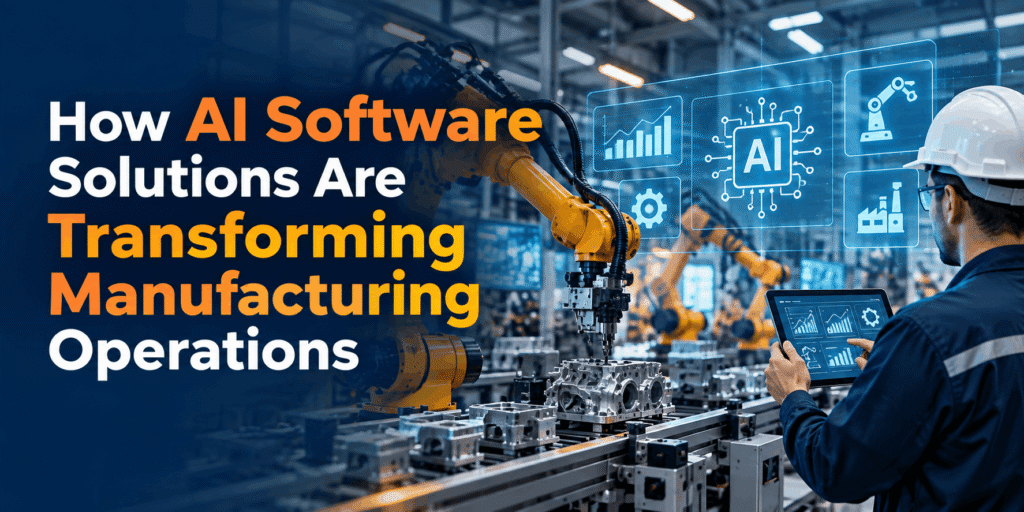
How AI Software Solutions Are Transforming Manufacturing Operations
In an era of rapid technological evolution, industrial floors across the globe are undergoing a profound digital overhaul. Traditional automation—once relying strictly on pre-programmed scripts and manual quality audits—is no longer sufficient to keep pace with shifting global demand, volatile supply chains, and rising material costs. Today, forward-thinking enterprise leaders are leveraging artificial intelligence (AI) to introduce real-time adaptability, predictive intelligence, and operational efficiency into their production lines. Understanding how AI software solutions are transforming manufacturing operations has become the primary roadmap for industrial enterprises aiming to retain market leadership, minimize operational downtime, and scale profitably in Industry 4.0. From predicting machinery failures before they occur to executing computer vision quality control at micro-millimeter precision, intelligent software systems are fundamentally redefining workshop efficiency. Instead of relying on reactive fixes, modern production environments use custom web applications, IoT integrations, and deep-learning models to convert fragmented plant data into actionable operational strategies. 1. The Dawn of Industry 4.0: Why AI Software Solutions Are Transforming Manufacturing Operations The manufacturing landscape has officially transitioned from basic mechanical automation into cognitive factory operations. At the center of this paradigm shift is the integration of custom enterprise software with machine learning models capable of handling massive volumes of telemetry data. When analyzing how AI software solutions are transforming manufacturing operations, the primary differentiator lies in the transition from static automation to adaptive machine learning in manufacturing. Traditional systems simply follow fixed, repeating instructions. If an anomaly occurs on the assembly line, the system halts, requiring manual human intervention. In contrast, AI-powered software constantly monitors variables like temperature, vibrational signatures, pressure variances, and cycle durations, adjusting line parameters dynamically to maintain peak throughput without stopping production. Furthermore, modern smart factory solutions unify siloed production databases. By wrapping artificial intelligence models inside intuitive custom web application development platforms, enterprise executives gain a bird’s-eye view of plant performance across multiple facilities, standardizing decision-making and eliminating operational blind spots. 2. Predictive Maintenance: Turning Unplanned Downtime into Proactive Scheduling Unplanned equipment downtime remains one of the single most expensive bottlenecks in heavy manufacturing. When a key robotic arm, CNC spindle, or conveyor motor fails unexpectedly, entire assembly lines stall, triggering exponential revenue losses and disrupted delivery schedules. Eliminating Failure Before It Occurs By embedding predictive maintenance software into factory machinery via Industrial Internet of Things (IIoT) sensors, manufacturers shift from reactive maintenance to proactive, data-backed scheduling. These sensors capture continuous streams of operational metrics, such as: Vibrational spectrums indicating bearing wear or shaft misalignment. Thermal fluctuations highlighting insufficient lubrication or electrical overload. Pressure and acoustic anomalies warning of pump cavitation or hydraulic degradation. AI algorithms compare these real-time streams against historical performance baselines. When subtle deviations emerge—weeks before a physical component actually breaks down—the AI software generates automated maintenance tickets, orders replacement parts, and suggests optimal, off-peak repair windows. This continuous loop dramatically lowers operational expenditure, extends machinery lifespan, and maximizes overall equipment effectiveness (OEE). 3. Automated Quality Control through Computer Vision in Manufacturing Maintaining uniform product quality across high-volume production lines is inherently difficult when relying solely on visual inspections by human operators. Fatigue, distraction, and line speed constraints inevitably lead to defective components passing undetected into final distribution. Precision Quality Control at Production Speeds The implementation of computer vision in manufacturing has established a new benchmark for quality assurance. High-resolution industrial cameras, paired with deep neural networks, continuously inspect items moving down conveyor belts at high speeds. Micro-Defect Detection: Computer vision models analyze microscopic surface cracks, welding porosity, incorrect paint coverage, or missing fasteners in fractions of a second. Instant Automated Ejection: Identified non-conforming units are automatically flagged and routed to reject bins via pneumatics, preventing defective parts from moving downstream. Root Cause Feedback: The AI system logs defect types and frequencies, feeding this data back to upstream machine controllers so operators can correct calibration drift before it turns into a widespread scrap issue. By achieving near 100% inspection coverage without slowing line speed, manufacturers protect brand reputation, eliminate expensive product recalls, and significantly reduce material waste. 4. Smart Supply Chain Optimization and Demand Forecasting Modern manufacturing does not exist in isolation; it depends heavily on complex, global supply webs. Geopolitical events, material shortages, and sudden shifts in consumer sentiment can quickly undermine traditional inventory planning. Synchronizing Inventory with Real-Time Market Demand By deploying intelligent algorithms for smart supply chain optimization, manufacturing leaders gain predictive visibility across their entire vendor network. AI platforms process internal Enterprise Resource Planning (ERP) metrics alongside external datasets—such as market trends, shipping delays, weather patterns, and raw material index prices—to deliver accurate demand forecasts. Dynamic Raw Material Procurement: AI platforms automatically adjust order sizes and schedules, keeping raw material inventories aligned with near-term demand to prevent capital lockup. Warehouse & Logistics Management: Intelligent route optimization software streamlines intra-factory logistics, automated guided vehicles (AGVs), and finished-goods distribution networks. Supplier Risk Scoring: Machine learning continuously evaluates vendor delivery performance, highlighting potential bottleneck risks before they disrupt the production schedule. 5. Industrial Robotics and Collaborative Robots (Cobots) Industrial robotics has moved beyond massive, rigid cages where machines operate completely separate from human workers. The modern shop floor features intelligent industrial robotics and collaborative robots (cobots) designed to safely work side-by-side with human personnel. Enhancing Human Capability on the Factory Floor Unlike legacy automation, AI-driven cobots utilize advanced spatial sensors, force-torque control, and vision algorithms to adapt dynamically to human motion. When a human operator enters a cobot’s working envelope, the system automatically slows or redirects its trajectory to prevent collisions, maintaining high safety standards without shutting down production. These smart systems excel at handling repetitive, high-precision tasks—such as intricate PCB assembly, bin picking, seam welding, and palletizing. By offloading physically demanding and repetitive tasks to adaptive cobots, factories boost total output while allowing their skilled workforce to focus on high-value supervisory, maintenance, and engineering roles. 6. Generative AI and Digital Twins in Factory Design Two of the most transformative advances in modern manufacturing engineering are generative AI and digital twin technology. Together, these tools let industrial
Integrated Biometric Attendance and Payroll Management System: The Ultimate 2026 Enterprise Guide
Managing human resources, tracking workforce hours, and processing accurate monthly payroll can quickly become administrative nightmares for growing organizations. Traditional sign-in sheets and standalone punch cards are no longer viable in modern work environments. They leave companies vulnerable to human error, time theft, and compliance risks. Deploying an integrated biometric attendance and payroll management system is the most effective way to address these challenges. By linking physical identity verification—such as fingerprint scanning or facial recognition—directly with automated payroll processing, organizations eliminate manual data entry, streamline operations, and boost overall workforce productivity. This comprehensive guide covers everything you need to know about biometric workforce management: how it works, key business benefits, essential software features, and practical implementation strategies to scale your operations effortlessly. What Is a Biometric Attendance and Payroll Management System? A biometric attendance and payroll management system combines advanced hardware sensors with cloud-based software to automate employee time tracking, leave management, and salary computation. Instead of relying on ID cards, PINs, or paper logs, the system verifies an individual’s unique physical or behavioral traits. Once an employee clocks in via a biometric reader, the time-stamped attendance data flows instantly into the payroll engine. The software calculates working hours, overtime, leave deductions, and statutory taxes automatically, generating accurate payslips with zero manual intervention. Why Modern Enterprises Require Biometric Integration Manual timekeeping methods create operational bottlenecks that directly impact a company’s bottom line. Integrating biometric time tracking with your payroll architecture addresses several critical vulnerabilities: 1. Eliminating “Buddy Punching” and Time Theft Buddy punching occurs when an employee clocks in on behalf of an absent colleague. Traditional keycards and passwords can easily be shared, leading to cumulative financial losses over time. Biometric traits—such as thumbprints, iris patterns, and facial structures—are unique and non-transferable. This ensures that the person recording attendance is physically present at the workstation. 2. Eliminating Manual Payroll Errors Transferring attendance data from spreadsheets into payroll software creates room for human error. A single misplaced digit can lead to incorrect salary payments, tax miscalculations, or compliance penalties. Direct integration automates the entire flow from clock-in to paycheck calculation, ensuring 100% data fidelity. 3. Real-Time Data Visibility HR leaders and project managers gain instant visibility into workforce attendance, tardiness trends, and absenteeism patterns across multiple office locations, manufacturing plants, or remote job sites. Key Features to Look For in an Enterprise Solution When evaluating software options, look for a platform that simplifies complex HR workflows while maintaining high enterprise-grade security standards. Advanced Hardware & Mobile GPS Support A modern system should support multiple biometric devices, including fingerprint scanners, contactless facial recognition terminals, and iris scanners. For remote or field teams, mobile apps with GPS geotagging and geofencing ensure field engineers and sales executives can log attendance securely from authorized work zones. Automated Payroll Engine The underlying payroll processor must handle complex compensation structures, including hourly wages, fixed monthly salaries, shift differentials, performance bonuses, and custom deduction rules. Custom Shift Scheduling and Roster Management Businesses operating in shifts need dynamic scheduling capabilities. The system should automatically match employee clock-in times against assigned shifts, apply night-shift allowances, and flag unscheduled overtime. Employee Self-Service (ESS) Portal Empower your workforce with self-service mobile and web portals. Employees can view their real-time attendance logs, request leave, download monthly payslips, and submit tax declarations without overwhelming your HR team. Business Benefits of Deployment Implementing a unified time tracking and payroll architecture provides long-term quantitative and strategic advantages. Operational Feature Traditional Manual Tracking Integrated Biometric System Identity Verification Cards, PINs, Paper Logs (High Risk of Fraud) Fingerprint / Facial Scans (Zero Fraud) Data Processing Speed Days or Weeks of Manual Data Entry Real-time / Instantaneous Sync Payroll Calculations Prone to Calculation & Data Input Errors 100% Automated & Accurate Compliance Overhead High Manual Effort to Maintain Compliance Logs Automated Audit Trails & Tax Calculations 1. Significant Cost Reduction Eliminating buddy punching, overcalculated overtime, and administrative overhead delivers a clear return on investment. Most organizations recover their hardware and software implementation costs within six months of deployment. 2. Multi-Location Centralization If your business operates across multiple branches, manufacturing facilities, or retail stores, centralized cloud management allows you to sync data from various biometric terminals into a single dashboard. 3. Automated Statutory Compliance Managing regional tax regulations, provident fund contributions, social security deductions, and labor laws requires precision. An integrated platform automatically updates tax brackets and generates compliant audit trails for statutory bodies. Step-by-Step Implementation Strategy Transitioning to an automated biometric system requires clear planning to ensure smooth adoption without disrupting business operations. Assess Infrastructure Requirements Evaluate your physical office layout and workforce structure. Determine how many hardware terminals are needed for high-traffic entry points, and verify internet connectivity for real-time cloud syncing. Define HR & Payroll Policies Configure work shifts, late-arrival grace periods, overtime calculation rules, and holiday calendars within the software before connecting employee hardware profiles. Enroll Employee Biometric Templates Conduct systematic enrollment sessions to scan and map employee fingerprints or facial profiles into the system database securely. Pilot Testing & Parallel Run Run the new biometric platform alongside your old system for one pay cycle. Compare the resulting payroll totals to catch discrepancies, refine custom rules, and verify system accuracy. Full Go-Live and Ongoing Support Transition fully to the automated system and provide concise documentation or training to help staff navigate the Employee Self-Service portal. Technical Security and Privacy Considerations Handling biometric data requires robust data security measures to protect employee privacy and comply with global standards like GDPR. Template Encryption: Leading biometric devices do not store actual images of fingerprints or faces. Instead, they convert physical characteristics into encrypted mathematical algorithms (templates). These templates cannot be reverse-engineered back into an image. Role-Based Access Control (RBAC): Ensure your payroll and HR database uses strict role-based access, allowing only authorized administrators to view sensitive payroll information or biometric records. Cloud Storage Security: Verify that your software provider utilizes end-to-end data encryption both in transit (SSL/TLS) and at rest (AES-256) on secured cloud servers. Transforming HR Operations
Why Businesses Need Custom Software Development: The Ultimate Guide to Scaling Your Enterprise
In today’s hyper-competitive digital landscape, relying on outdated or generic tools is one of the fastest ways to fall behind. Modern enterprises face complex operational challenges, evolving customer expectations, and rapid technological shifts. This brings forward a critical strategic question: Why do businesses need custom software development? While off-the-shelf applications offer a quick fix, they rarely provide a long-term competitive edge. Commercial software forces companies to adapt their unique operational models to fit pre-packaged features. Conversely, custom software development builds technology around your specific business processes, providing unparalleled flexibility, robust security, and seamless scalability. Whether you operate in finance, healthcare, logistics, or e-commerce, investing in tailored digital architecture is no longer a luxury—it is a core business necessity. According to strategic technology research from Gartner, digital transformation initiatives that leverage tailored software solutions yield significantly higher operational efficiency and ROI compared to standardized software implementations. In this comprehensive guide, we examine why custom software is essential for modern organizations, how it drives long-term profitability, and how partnering with an expert development provider like Nucleosys Tech can transform your operations. The Hidden Costs and Constraints of Off-the-Shelf Software Off-the-shelf (COTS) software appears attractive at first glance. It offers low initial setup costs, immediate deployment, and familiar user interfaces. However, as an organization grows, the hidden limitations of generic platforms quickly begin to surface. 1. The Bloatware Dilemma Generic platforms attempt to serve thousands of different businesses across various industries simultaneously. As a result, they come packed with dozens of features your team will never use, while lacking the specific functions you actually need. Your employees are left navigating complex, cluttered interfaces that slow down daily productivity. 2. Rigid Operational Bottlenecks When using standard software, your company must alter its established workflows to match the software’s hardcoded logic. Forcing your business processes into a pre-designed mold creates operational friction, reduces agility, and restricts innovation. 3. Escalating Subscription Costs Commercial applications rely on recurring per-user licensing fees. As your team expands, your software costs compound exponentially. Over a 3 to 5-year timeline, these cumulative licensing fees often exceed the one-time investment required to build proprietary software. 4. Vendor Dependency and Abandonment With off-the-shelf software, you are completely dependent on the vendor’s roadmap. If the vendor increases subscription prices, discontinues key features, or experiences major service outages, your operations suffer without recourse. Core Reasons Why Businesses Need Custom Software Development To stay ahead of market shifts, forward-thinking organizations choose custom application development to construct solutions tailored directly to their core objectives. Below are the foundational reasons why custom software development is vital for scalable growth. 1. Tailored Functionality Built Around Your Unique Workflows Every business possesses distinct competitive advantages, internal processes, and customer delivery models. Tailored software solutions are architected from the ground up to support your specific workflows rather than forcing you to compromise. By engineering software around your exact requirements, every feature serves a direct purpose. Whether you require specialized financial reporting, specialized inventory management, or multi-channel customer relationship management (CRM), custom development ensures your software aligns perfectly with your goals. 2. Unmatched Scalability for Long-Term Enterprise Growth As your organization expands into new markets, handles higher transaction volumes, or adds operational divisions, your digital infrastructure must scale effortlessly. Standard applications often hit performance ceilings, requiring costly plan upgrades or complex migration projects. With enterprise software development, scalability is built into the core system architecture. Developers design cloud-native systems using microservices and modular code, allowing individual components to scale independently. This ensures your software adapts seamlessly as your user base and data volumes grow. 3. Seamless Integration with Existing Legacy Systems Most enterprises rely on a mix of software platforms, including ERPs, HR portals, accounting tools, and communication channels. Off-the-shelf software often fails to connect smoothly with proprietary or legacy databases, creating isolated data silos. Custom software applications bridge these gaps through custom-built Application Programming Interfaces (APIs). By unifying disparate software tools into a centralized database, your leadership team gains real-time visibility across all operational departments. 4. Advanced Security and Total Data Ownership Data breaches and cyber threats pose severe risks to modern enterprises. Using popular off-the-shelf platforms makes your organization a target, as hackers frequently exploit known vulnerabilities in widely used software. A core reason why businesses need custom software is enhanced cybersecurity control. Custom platforms allow you to implement enterprise-grade encryption, role-based access controls (RBAC), and multi-factor authentication (MFA) tailored to your risk profile. Furthermore, you retain 100% ownership of your source code and intellectual property, ensuring strict compliance with regulations such as GDPR, HIPAA, and PCI-DSS. Driving Productivity Through Automation and Efficiency Beyond operational alignment, custom technology serves as a key driver of employee productivity and enterprise-wide efficiency. Streamlining Operations with Process Automation Manual data entry, multi-step approvals, and repetitive administrative tasks waste valuable team hours and introduce human error. By implementing process automation, custom applications handle routine tasks automatically behind the scenes. For instance, a custom system can automatically trigger invoice generation upon order delivery, update inventory levels across global warehouses, and notify regional sales teams—all without requiring manual input. Optimizing Team Output with Workflow Management Effective workflow management requires clear visibility into task ownership, project milestones, and delivery timelines. Standard project management tools often lack the specific tracking features needed for complex industrial or technical operations. Custom software provides intuitive dashboards that reflect your exact project lifecycle stages. This eliminates friction points, improves cross-departmental coordination, and ensures deadlines are met reliably. Maximizing Overall Business Efficiency When systems talk to each other and administrative friction is removed, your organization achieves peak business efficiency. Employees shift their focus from repetitive data entry to high-value strategic tasks, directly improving overall output and revenue generation. To optimize business operations with intelligent digital solutions, explore our specialized custom software development services engineered to elevate operational performance. Custom Software vs. Off-the-Shelf: A Strategic Comparison To help evaluate the technical and financial tradeoffs between custom engineering and commercial software, consider this detailed comparison matrix: Feature Criteria Off-the-Shelf Software (COTS) Custom Software Development Initial
How to Set Up Meta Ads in 2026: A Step-by-Step Guide with Real Campaign Insights
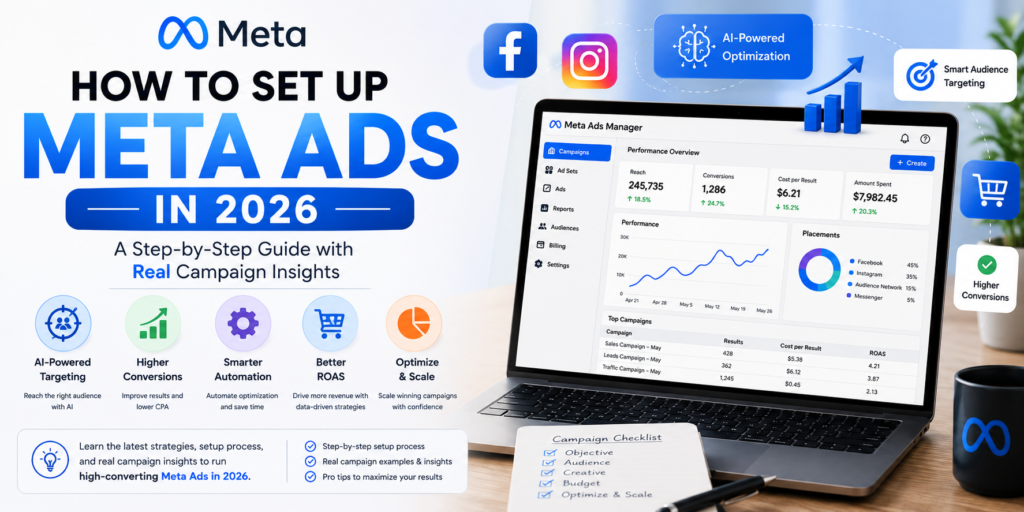
Introduction Running digital ad campaigns on Facebook and Instagram has changed dramatically over the last few years. If you are trying to figure out How to Set Up Meta Ads in 2026: A Step-by-Step Guide with Real Campaign Insights, you have likely realized that the old strategies of manual micro-targeting and static image ads no longer deliver high return on ad spend (ROAS). In 2026, Meta’s ecosystem is powered by artificial intelligence, automated machine learning, real-time creative optimization, and Advantage+ shopping campaigns. Advertisers who adapt to these updates achieve significantly lower cost-per-acquisition (CPA) and higher conversion rates. Conversely, brands relying on outdated frameworks bleed ad budget quickly. Whether you are an eCommerce business owner, a B2B marketer, or an entrepreneur, this long-form guide walks you through every single phase of building high-converting Meta advertising campaigns. You will learn how to configure your business foundation, launch campaigns with precision, and scale winning creatives using actionable data from real campaigns. 1. What Has Changed in Meta Advertising for 2026? To maximize paid traffic performance, it is crucial to understand how Meta Ads Manager has evolved. In 2026, Meta prioritizes algorithmic automation over manual lever-pulling. The Shift to Meta Advantage+ and AI Targeting Previously, media buyers spent hours tweaking age brackets, interest combinations, and geographic radius. In 2026, Meta Advantage+ Audiences handle audience discovery by using machine learning models that analyze user intent, messaging interaction, and dynamic behavior. Rather than constraining Meta with narrow interest targeting, top advertisers set broad parameter controls and let AI identify high-intent buyers based on ad interaction patterns. First-Party Data & Meta Conversions API (CAPI) With third-party tracking restrictions standard across all major browsers and mobile operating systems, browser-based Meta Pixels are no longer sufficient on their own. Server-side tracking via Meta Conversions API (CAPI) is essential for data collection accuracy. When implemented properly alongside website server logs, CAPI routes user actions directly to Meta’s servers, restoring signals that ad blockers or browser privacy tools normally strip out. 2. Essential Prerequisites Before Launching Your Meta Campaign Before creating your first campaign inside Meta Ads Manager, ensure your backend setup is fully verified and connected. Step 1: Secure Your Meta Business Manager Create or audit your account via Meta Business Suite. Connect your official Facebook Page and Instagram Business Account. Assign appropriate role-based permissions (Admin, Finance, Employee). Set up Two-Factor Authentication (2FA) for all users to protect asset security. Step 2: Implement Meta Pixel and Conversions API (CAPI) Installing backend tracking ensures proper event attribution: Navigate to Meta Events Manager and choose Connect Data Sources. Select Web and generate your Meta Pixel snippet. Integrate CAPI directly via your website’s CMS (such as WordPress or Shopify) or use custom server-side Google Tag Manager (GTM) setups. Verify server-to-browser event deduplication to avoid counting conversions twice. If you want your website infrastructure to seamlessly pass tracking data to ad platforms, working with professional Website Development Services in Mumbai ensures clean code execution and seamless API server scripts. Step 3: Domain Verification and Aggregated Event Measurement Verify your web domain directly under Business Settings > Brand Safety > Domains. Add the generated TXT record to your DNS configuration. Once verified, configure your top eight conversion events in Aggregated Event Measurement, prioritizing high-value actions like Purchase, Initiate Checkout, and Lead Generation. 3. Mastering the Setup of Meta Ads in 2026: Step-by-Step Execution Once your pixel, domain, and Business Suite are configured, follow this step-by-step breakdown to launch your campaign. Step 1: Select the Proper Campaign Objective Click the green + Create button inside Meta Ads Manager. Meta groups objectives into six distinct categories: Campaign Objective Ideal Use Case Primary Metric Sales eCommerce, direct purchases, catalog promotion ROAS, Cost Per Purchase Leads Contact forms, consult calls, CRM capture Cost Per Lead (CPL) Engagement Video views, messaging, page interactions Cost Per Engagement Traffic Content views, blog readership Cost Per Outbound Click Awareness Top-of-funnel reach, brand recall CPM, Reach App Promotion Mobile application downloads and events Cost Per Install (CPI) Pro Tip: Avoid using “Traffic” campaigns when seeking leads or purchases. Meta delivers traffic campaigns primarily to users who click links often, not necessarily users who convert. Step 2: Configure Campaign Budget Optimization (CBO) vs. ABO Advantage Campaign Budget (CBO): Meta distributes a single pool of money across all ad sets dynamically based on real-time opportunities. Ideal for scaling proven creatives. Ad Set Budget Optimization (ABO): Sets specific daily budgets for each ad set. Ideal for isolated audience testing and creative variations. Step 3: Define Target Audience and Placements at the Ad Set Level Inside the Ad Set setup: Locations & Demographics: Set target countries or local postal codes. Keep demographic filters flexible unless your product is explicitly age-restricted. Advantage+ Placements: Allow Meta to serve your ads dynamically across Facebook Feeds, Instagram Reels, Stories, Audience Network, and Messenger. In 2026, machine learning allocates delivery where impression costs are lowest and conversion likelihood is highest. Step 4: Craft Winning Creative and Copy at the Ad Level Ad creatives do heavy targeting work in modern ad ecosystems. Use a mix of: Vertical Video (9:16): Short-form UGC (User-Generated Content), customer unboxings, and problem-solution reels. Carousel Formats: Highlight individual product features, customer testimonials, or multi-step service benefits. Direct Copy Frameworks: Implement the PAS (Problem-Agitate-Solution) or AIDA (Attention-Interest-Desire-Action) writing structures. Ensure your core value proposition is featured prominently within the first 3 seconds of video or first 2 lines of text. 4. Real Campaign Insights: What Data Teaches Us in 2026 To understand how to succeed with Meta Ads in 2026, let us analyze real performance data gathered from active e-commerce and lead-generation ad accounts. Case Study A: E-Commerce Brand (Advantage+ Shopping vs. Manual Campaigns) A apparel brand split $20,000 across two distinct strategies over 30 days: Strategy A (Manual Audiences): Utilized 5 Interest Ad Sets with ABO Budgeting and static product creatives. This setup yielded a 2.1x ROAS with a $42 CPA. Strategy B (Advantage+ Shopping): Implemented 1 Broad Advantage+ Campaign with CBO Budgeting alongside dynamic UGC and catalog visuals.
React vs Angular: Which Framework is Better?
Choosing the right technology stack is a critical milestone for any modern enterprise. When launching a new digital product, project leaders invariably face a monumental dilemma: React vs Angular. Both technologies dominate the software engineering ecosystem, yet they approach web architecture from fundamentally different directions. Whether you are aiming to build robust Enterprise Web Applications or sleek Single Page Applications, understanding how these tools measure up is essential for success. Navigating the landscape of Frontend Development requires more than just looking at syntax preferences. It demands a deep dive into architecture, scalability, community support, and long-term maintenance costs. Furthermore, as businesses accelerate their digital transformation strategies, choosing the right framework heavily influences performance and time-to-market. In this comprehensive comparison, we will deconstruct both technologies to help you make an informed decision. Understanding React: Flexibility and Component-Driven UI Developed and maintained by Meta (formerly Facebook), React is not technically a full-blown framework; it is an open-source JavaScript library focused exclusively on the view layer. Because of this architectural choice, it has revolutionized UI Development by introducing a component-based paradigm. Developers love React for its flexibility, allowing them to build encapsulated pieces of UI that manage their own state. At its core, React utilizes a Virtual DOM (Document Object Model). Instead of updating the entire browser DOM every time a user interacts with a page, React computes the minimal set of changes required and updates only those elements. This results in blistering performance, making it a favorite for dynamic interfaces. According to the State of JS Overview, React consistently maintains top-tier satisfaction and adoption rates among global engineering teams. Key Advantages of React Unmatched Flexibility: Unlike rigid frameworks, React does not dictate your project structure. You can integrate it into an existing project or use it with any routing and state management libraries of your choice. Reusable Components: Code modularity is baked into React, which significantly cuts down development time and simplifies code maintenance. Strong Ecosystem: The community support surrounding React is massive. From Redux for state management to Next.js for server-side rendering, developers have access to an endless array of tools. Seamless React Development: Finding specialized talent is easier due to its massive global popularity and gentle learning curve for JavaScript developers. Understanding Angular: The Comprehensive Enterprise Powerhouse Maintained by Google, Angular is a complete, opinionated framework written in TypeScript. Unlike React, Angular provides an all-in-one solution for building large-scale applications out of the box. It comes equipped with everything a development team needs, including built-in routing, HTTP client modules, form validation, and state management utilities. Angular follows the Model-View-Controller (MVC) architectural pattern, though it leans heavily toward a component-based architecture in modern versions. Its strict structure enforces standardized code formatting, which makes it particularly advantageous for large teams collaborating on enterprise projects. For more details on enterprise architecture patterns, you can explore insights on Martin Fowler’s Architecture Guide. Key Advantages of Angular Comprehensive Out-of-the-Box Toolkit: Angular offers a complete package. You do not need to stitch together third-party libraries for routing, forms, or API communication. TypeScript Integration: Built entirely with TypeScript, Angular provides superior tooling, static typing, and advanced refactoring capabilities, reducing runtime errors significantly. Two-Way Data Binding: Changes in the UI automatically update the model state, and vice versa, which simplifies data synchronization in complex forms and data-heavy dashboards. Robust Angular Development: Ideal for large corporate teams where strict architectural patterns ensure consistency across hundreds of files. Head-to-Head Comparison: React vs Angular To determine which technology fits your roadmap best, let us evaluate them across critical performance and engineering vectors. 1. Architecture and Learning Curve React: Features a gentle learning curve for anyone proficient in modern JavaScript (ES6+). Because it is a library, developers must assemble their own ecosystem, which can introduce overhead during initial setup. Angular: Has a steep learning curve. Developers must master TypeScript, decorators, dependency injection, and RxJS observables before becoming productive. However, once mastered, it provides ultimate architectural consistency. 2. Performance and Speed React: High performance due to the Virtual DOM. While raw rendering is fast, performance tuning largely depends on the developer’s implementation choices regarding state management and memoization. Angular: Highly optimized for large enterprise scales. Modern versions feature zone-less change detection and signal-based reactivity, drastically boosting speed and execution times for Modern Web Development. 3. Scalability and Maintenance React: Highly scalable, but requires strict team conventions. Without standardized guidelines, large React codebases can become fragmented due to the sheer freedom of choice in third-party packages. Angular: Built specifically for scalability. Its opinionated nature ensures that regardless of who writes the code, the structural patterns remain uniform, making long-term maintenance seamless. The Role of Modern Web Development in Business Growth As consumer expectations soar, modern applications must load instantly, offer intuitive interactions, and run smoothly across all devices. Whether you are engineering high-speed Single Page Applications or scaling Enterprise Web Applications, your choice of technology directly impacts user retention and conversion rates. Furthermore, search engine optimization and digital accessibility heavily depend on how efficiently your frontend renders content. Utilizing server-side rendering frameworks built on top of React—or leveraging Angular’s robust Universal rendering capabilities—ensures that search engine crawlers can index your pages effectively. This strategic synergy between development and digital growth is vital for dominating competitive markets. Scale Your Business With Professional Development Services Choosing between React and Angular is only the first step. Translating architectural decisions into a secure, high-performing, and scalable digital product requires seasoned engineering expertise. At Nucleosys Tech, we specialize in turning complex technological challenges into streamlined business assets. Whether you need a custom-tailored frontend solution or an end-to-end enterprise platform, our expert engineers deliver excellence. Explore our dedicated capabilities in React Development to build lightning-fast user interfaces, or leverage our enterprise-grade AngularJS Development services to power your next big venture. Partner with us to accelerate your time-to-market and elevate your digital presence today. Frequently Asked Questions (Q&A) Q1: Is React better than Angular for startups? React is often preferred by startups due to its flexibility, faster initial setup, and
Best Remote Project Management and Tracking Software for Teams in 2026
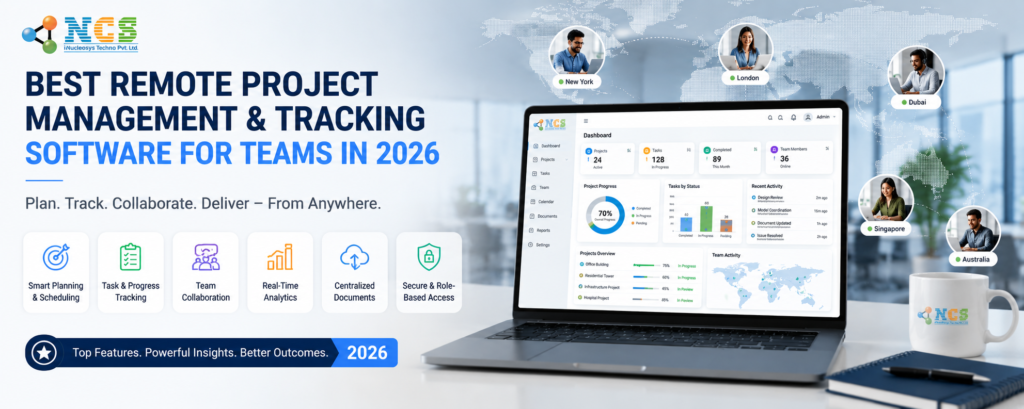
Remote work is no longer a temporary trend. In 2026, businesses across the globe are operating with distributed teams, hybrid employees, and virtual project workflows. To maintain productivity, transparency, and accountability, companies now require powerful remote project management software that can centralize operations in one platform. Managing remote teams without a proper system often creates communication gaps, delayed deadlines, inaccurate time tracking, and poor visibility into employee performance. Businesses using disconnected tools for task management, employee monitoring, and reporting struggle to scale efficiently. This is where MIS by Nucleosys Tech becomes a game-changing solution. Designed for modern businesses, this cloud-based Management Information System helps organizations streamline workflows, monitor employee productivity, manage projects, and improve collaboration from anywhere. Whether you run an IT company, marketing agency, software development team, or enterprise operation, MIS provides everything needed to manage remote teams effectively. Why Businesses Need Remote Project Management Software in 2026 Traditional project management methods are no longer effective for remote and hybrid work environments. Companies now require centralized workflow management software that improves visibility, automates reporting, and simplifies collaboration between teams. Modern businesses are looking for: Task management software Employee monitoring software Time tracking systems Team collaboration platforms Workflow automation software Productivity tracking tools Client management systems Using multiple disconnected applications increases operational complexity and reduces efficiency. A unified remote workforce management platform eliminates these issues by bringing every business process into one dashboard. MIS by Nucleosys Tech is specifically developed to solve these modern remote work challenges. What is MIS by Nucleosys Tech? MIS by Nucleosys Tech is an advanced remote employee management software designed to help organizations manage tasks, projects, teams, and reporting through a single centralized platform. The system combines: Project management software Employee productivity tracking Smart time tracking Workflow automation Client feedback management Performance analytics Team collaboration tools This all-in-one business productivity software helps companies improve operational efficiency while maintaining complete visibility over remote teams. Key Features of MIS Remote Project Management Software 1. Role-Based Access Control (RBAC) Security and data control are essential for enterprises managing distributed teams. MIS includes a powerful 5-level Role-Based Access Control system. User Roles Include: Admin Director Project Manager Team Lead Employee Each role receives customized access permissions based on responsibilities. This protects sensitive business information while improving workflow management. Benefits include: Secure project handling Controlled employee access Better operational transparency Improved data security This makes MIS an ideal enterprise workflow software for growing businesses. 2.Advanced Project & Client Management MIS offers powerful project management tools for handling multiple client engagements simultaneously. The platform supports two flexible models: Project-Based Management Perfect for fixed-cost projects with milestones and deadlines. Resource-Based Management Ideal for hourly billing, dedicated developers, and agile teams. Businesses can: Track project progress Monitor resource allocation Manage client accounts Control project timelines Improve billing accuracy This makes MIS one of the best project management software solutions for remote teams in 2026. 3.Smart Task Management with Automated Time Tracking One of the most important features of any remote work software is accurate task and time tracking. MIS includes an integrated smart timer system that allows employees to: Start and stop task timers Track active working hours Log breaks Update task progress Manage daily work schedules Managers can monitor: Productivity levels Employee performance Billable hours Task completion status Work efficiency Unlike traditional time tracking software, MIS combines employee productivity tracking with real-time project monitoring. 4.Employee Monitoring & Productivity Tracking Remote businesses require visibility into team activities without micromanaging employees. MIS helps organizations: Track employee activity Monitor project progress Measure productivity Analyze workload distribution Generate efficiency reports The platform improves accountability while supporting flexible remote work culture. This makes MIS a highly effective employee monitoring software for modern businesses. 5.Workflow Automation & Team Collaboration Managing remote teams manually can slow down operations. MIS simplifies communication and workflow automation through centralized collaboration features. Teams can: Assign tasks instantly Share updates Review project milestones Approve deliverables Receive automated notifications The platform improves team coordination and reduces communication delays. For businesses searching for a scalable team collaboration platform, MIS offers enterprise-grade workflow management capabilities. 6.Client Feedback & Approval Management MIS includes a dedicated client portal where clients can: Review project progress Approve tasks Share feedback Monitor milestones Communicate with teams This structured workflow reduces dependency on emails and improves project transparency. It also helps businesses improve client satisfaction and project delivery speed. Advanced Reporting & Business Analytics Data-driven decisions are essential for business growth. MIS provides detailed performance reports that help companies optimize operations. Available Reports Include: Employee Efficiency Reports Project Performance Reports Internal Error Reports External Error Reports Resource Utilization Reports Milestone Tracking Reports Team Productivity Analytics These insights help businesses identify bottlenecks, improve workflows, and maximize productivity. Why MIS is Better Than Traditional Project Management Tools Features Traditional PM Tools MIS by Nucleosys Tech Time Tracking Third-party integrations Built-in smart timer Employee Monitoring Limited Advanced productivity trackin Role-Based Access Basic 5-level RBAC Client Feedback Email dependent Dedicated client portal Workflow Automation Partial Fully integrated Reporting Basic analytics Enterprise-grade reporting Resource Management Limited Advanced allocation tracking MIS combines multiple business functions into one centralized remote project management system. Benefits of Using MIS for Remote Teams Businesses using MIS can: Improve employee productivity Track work-from-home employees efficiently Reduce project delays Simplify client communication Improve billing accuracy Automate reporting Optimize team performance Increase workflow transparency The platform is designed to support startups, SMEs, agencies, IT companies, and enterprise businesses. Why Choose Nucleosys Tech? Nucleosys Tech specializes in building scalable enterprise software solutions for modern businesses. The company provides: Custom MIS software Enterprise workflow systems Project management software Mobile app development Web application development Business automation solutions Their advanced remote workforce management solutions help organizations scale efficiently in a competitive digital environment. Get Free Trial of MIS Software Today Looking for the best remote project management software for your business? MIS by Nucleosys Tech helps you: Manage remote employees Track project progress Improve productivity Automate workflows Simplify team collaboration Request a Free Demo Today Frequently Asked Questions
Custom .NET Application Development & Migration: The Complete 2026 Guide for Growing Businesses
Introduction: Why Businesses Are Rethinking Their .NET Strategy Right Now If your business is still running on a legacy application built years ago, you already know the signs. Slow load times. Integration headaches. Rising maintenance bills. Features that take months to ship. The truth is, outdated software doesn’t just slow down your IT team — it slows down your entire business. Custom dot net application development migration has become one of the most strategic investments a company can make in 2026. Whether you’re moving from an older .NET Framework to .NET 8, rebuilding a monolithic app into microservices, or developing a brand-new enterprise-grade solution, the decisions you make here will shape your technology roadmap for the next decade. At Nucleosys Tech, we’ve helped businesses across industries transform their legacy systems into modern, scalable, and secure .NET applications. In this guide, we’ll walk you through everything — the what, the why, the how, and the common pitfalls to avoid. Let’s dig in. What Is Custom .NET Application Development? Before we talk about migration, it helps to understand what makes custom .NET development different from off-the-shelf software. Custom .NET application development means building software that is designed specifically for your business workflows, data structures, integrations, and user needs — using Microsoft’s .NET ecosystem as the foundation. Unlike generic SaaS tools that force you to adapt your processes to the software, a custom .NET solution adapts to you. Microsoft’s .NET platform (now unified under .NET 6, 7, and 8) supports everything from web APIs and enterprise dashboards to cloud-native microservices and real-time applications. It’s cross-platform, open-source, highly performant, and backed by one of the largest developer ecosystems in the world. For businesses that have outgrown their current tools — or that need tight integration between systems, role-based access control, or complex data processing — custom dot net application development is often the most cost-effective long-term option. What Is .NET Application Migration and Why Does It Matter? .NET migration refers to the process of moving an existing application from an older version or framework — typically .NET Framework 3.5, 4.x, or older ASP.NET — to a modern .NET runtime like .NET 6, 7, or 8. But migration isn’t just a technical upgrade. It’s a business transformation. Here’s why companies are prioritising .NET application migration in 2026: End of support for legacy .NET frameworks: Microsoft has ended mainstream support for several older .NET Framework versions. Running unsupported software is a compliance and security risk. Performance gains: .NET 8 delivers up to 3x better throughput compared to .NET Framework 4.8 in benchmark tests, according to Microsoft’s official .NET performance blog. That translates directly to faster response times, lower infrastructure costs, and happier users. Cloud readiness: Modern .NET apps are built to run natively on cloud platforms like Microsoft Azure, AWS, and Google Cloud. Legacy apps often weren’t designed with cloud-native architecture in mind. Developer productivity: Newer .NET tooling and language features (C# 12, minimal APIs, Blazor) significantly reduce development time and technical debt. Security improvements: Each new .NET release includes critical security patches, updated cryptography libraries, and stronger default configurations. In short, if your business is running a .NET Framework application that hasn’t been updated in years, migration isn’t optional — it’s urgent. Key Signs Your Business Needs Custom .NET Development or Migration Not sure if now is the right time? Here are clear signals that you should start planning immediately: Your application crashes or becomes unresponsive under peak load. Your developers spend more time fixing bugs than building features. Integration with third-party tools like payment gateways, CRMs, or analytics platforms is painful. You’ve outgrown your current software’s feature set but can’t customise it. Your hosting costs keep climbing without a clear reason. Your team struggles to onboard new developers because the codebase is too complex to understand. Your application has never had a proper security audit. If any of these sound familiar, you’re not alone. These are exactly the challenges that drive businesses to pursue custom dot net application development migration with experienced partners. The .NET Migration Process: Step-by-Step One of the biggest fears businesses have about migration is disruption. “Will we have downtime?” “Will our data be safe?” “How long will this take?” These are fair questions, and the answer depends heavily on how the process is managed. Here’s the approach that experienced .NET development teams typically follow: Step 1: Application Assessment and Audit Before writing a single line of new code, a thorough audit of the existing system is essential. This includes reviewing the current codebase for dependencies, third-party libraries, database structures, and any undocumented logic that lives only in the application layer. This phase often surfaces issues that the business didn’t even know existed. Step 2: Defining the Migration Strategy There are several migration approaches depending on your business goals and risk tolerance. A rehost (lift-and-shift) moves the existing application to a new environment with minimal changes. A replatform involves moving the app to modern .NET with some optimisations but without a full rewrite. A refactor or rearchitect means redesigning key components — often breaking a monolith into microservices — while migrating. A full rebuild is sometimes the right answer when legacy code is too tangled to salvage. Each strategy has trade-offs in time, cost, and risk. The right choice depends on your business context, not a template. Step 3: Environment Setup and CI/CD Pipeline Modern .NET migration includes setting up proper development, staging, and production environments, along with automated testing and deployment pipelines. This is often something legacy systems lack entirely, and getting it right from the start pays dividends for years. Step 4: Incremental Migration with Parallel Running Rather than doing a big-bang cutover, best practice is to migrate features incrementally and run old and new systems in parallel during transition. This dramatically reduces the risk of downtime or data loss. Step 5: Database Migration and Optimisation The database is often the most complex part of any migration. Whether you’re staying with SQL Server, moving to PostgreSQL, or adopting
Website Redesign vs Maintenance: The Ultimate Guide to Scaling Your Digital Presence
In the fast-evolving digital landscape, business owners often find themselves at a crossroads: should they invest in a complete Website Redesign vs Maintenance? Your website is the digital storefront of your brand, and its performance directly impacts your bottom line. Choosing the wrong path can lead to wasted budgets or, worse, a site that fails to convert. Whether you are looking to refresh your brand identity or simply ensure your site stays secure and functional, understanding the nuances of Website Redesign vs Maintenance is critical for long-term SEO success and user engagement. Understanding the Core: Website Redesign vs Maintenance To make an informed decision, we must first define what these two strategies entail. While they both aim to improve your online presence, their scope and execution differ significantly. What is Website Maintenance? Website maintenance is the ongoing process of keeping your site healthy, secure, and up-to-date. Think of it like regular oil changes for a car. It involves routine tasks such as: Updating CMS versions and plugins. Fixing broken links and 404 errors. Monitoring site speed and performance. Regular security patches to prevent hacking. What is a Website Redesign? A website redesign is a comprehensive overhaul of your site’s visual aesthetics, user interface (UI), and information architecture. This is more like buying a new car or performing a complete engine swap. It is necessary when your current site no longer reflects your brand or fails to meet modern web standards like mobile-first indexing. When to Choose Website Maintenance If your website is currently generating leads and ranking well, a full redesign might be premature. In this scenario, Website Redesign vs Maintenance leans heavily toward the latter. 1. Consistent Search Engine Rankings If you are already appearing on the first page of Google for your primary keywords, a redesign carries the risk of “SEO shock.” By focusing on maintenance, you preserve your existing URL structure and Top-Rated SEO Services that you’ve worked hard to build. 2. Budget and Resource Allocation Maintenance is a cost-effective way to ensure Technical SEO health without the heavy upfront investment of a rebuild. Regular updates keep your Site Speed optimal, which is a core web vital that Google prioritizes. 3. Security and Stability Cyber threats evolve daily. Regular Security Patches are non-negotiable. Maintenance ensures that your Content Management System (CMS) is shielded from vulnerabilities, protecting both your data and your customers’ trust. When a Website Redesign is Mandatory Sometimes, no amount of maintenance can fix a fundamentally broken foundation. When comparing Website Redesign vs Maintenance, a redesign is necessary if: 1. High Bounce Rate and Low Conversions If your analytics show a high Bounce Rate, it’s a sign that users are frustrated. An outdated User Experience (UX) can drive potential customers straight to your competitors. A redesign allows for strategic Conversion Rate Optimization (CRO), turning visitors into leads. 2. Lack of Mobile Responsiveness In 2026, over 60% of web traffic comes from mobile devices. If your site isn’t perfectly fluid on smartphones, you are losing more than half of your market. A redesign ensures your site meets the highest standards of Mobile Responsiveness. 3. Rebranding or Business Scaling If your business has pivoted or grown, your old site may no longer fit your current Digital Marketing Strategy. A redesign aligns your visual identity with your business goals, providing a fresh start for your brand storytelling. Impact on SEO: The Invisible Difference The battle of Website Redesign vs Maintenance is often fought in the backend. Maintenance preserves your current SEO equity. It ensures that crawl bots can easily navigate your site without hitting dead ends. Redesign offers a chance to implement advanced schema markup and cleaner code, but it requires a meticulous 301 redirect map to ensure you don’t lose your current Business SEO Solutions rankings. For high-authority insights on how design affects rankings, refer to Moz’s Guide on Web Design & SEO. Choosing Your Path: A Data-Driven Approach Before deciding on Website Redesign vs Maintenance, audit your current performance. If your site is technically sound but looks dated, perhaps a “facelift” (partial redesign) is enough. However, if your underlying technology is obsolete, a full redesign is the only way to stay competitive. At Nucleosys Tech, we specialize in helping businesses navigate this choice. Whether you need robust ongoing support or a ground-up transformation, our team ensures your digital assets are optimized for growth. We don’t just build websites; we build high-converting engines designed to scale. Ready to elevate your online presence? Whether you need professional Website Maintenance to secure your site or a strategic Website Redesign to dominate your niche, Nucleosys Tech is here to help. Our experts deliver tailored solutions that drive traffic and maximize ROI. Contact Nucleosys Tech Today for a Free Website Audit! Q&A: Frequently Asked Questions Q1: How often should I redesign my website? Typically, a website redesign is recommended every 2–4 years to keep up with changing technology, design trends, and Google’s algorithm updates. Q2: Will a redesign hurt my SEO? If handled poorly, yes. However, with a proper SEO migration strategy—including 301 redirects and maintaining metadata—a redesign can actually significantly improve your Search Engine Rankings. Q3: Can I just do maintenance forever? While maintenance extends the life of a site, eventually the underlying code or CMS becomes “Legacy,” making it slower and more difficult to secure. At that point, a redesign becomes more cost-effective than constant patching. Q4: Is site speed affected more by maintenance or redesign? Both. Maintenance keeps a site fast by cleaning databases and optimizing images. A redesign improves speed by using modern, lightweight coding frameworks. Q5: What is the biggest risk of neglecting maintenance? The biggest risks are security breaches and total site failure. Without regular updates, your site becomes an easy target for malware, which can lead to being blacklisted by Google.
Why Website Security Matters: The Ultimate Guide to Protecting Your Digital Asset in 2026

In the current digital landscape, your website is often the first point of contact between your business and your customers. As a business owner, you might focus on aesthetics and user experience, but there is one question that should be at the forefront of your strategy: Why Website Security Matters? With the rapid evolution of technology, cyber threats have become more sophisticated, making robust security not just an option, but a fundamental necessity for survival. At Nucleosys Tech, we believe that a secure website is the foundation of a successful online presence. Whether you are running a small blog or a complex enterprise platform, understanding the gravity of protection is the first step toward long-term growth. Understanding Why Website Security Matters for Modern Businesses When we discuss website security, we aren’t just talking about a single plugin or a strong password. It is a comprehensive ecosystem of protocols designed to protect your site from unauthorized access, data theft, and malicious attacks. 1. Protecting Sensitive User Data The most critical reason why website security matters is the protection of user data. From email addresses and phone numbers to sensitive credit card information, your website likely handles a significant amount of private data. A single data breach can lead to catastrophic consequences, including identity theft for your users and massive legal liabilities for your company. 2. Safeguarding Brand Reputation and Trust Trust is the currency of the internet. If a visitor sees a “Not Secure” warning in their browser or, worse, experiences a security incident on your site, that trust is instantly shattered. Rebuilding a reputation after a hack is significantly more expensive and time-consuming than investing in website maintenance services from the start. 3. Boosting SEO and Google Search Rankings Security is a confirmed ranking factor for search engines. Google prioritizes sites that use the HTTPS protocol secured by SSL certificates. If your site is compromised, Google may even blacklist it, removing it from search results entirely to protect users. Therefore, if you want to rank higher, you must treat security as a core component of your SEO strategy. Common Cyber Threats and How to Mitigate Them To truly appreciate why website security matters, one must understand the threats lurking in the digital shadows. The Rise of Automated Malware and SQL Injections Hackers often use automated bots to scan the web for vulnerabilities. SQL injection remains one of the most common methods used to attack database-driven websites, allowing attackers to view or delete data they are not authorized to access. Phishing and Cross-Site Scripting (XSS) These attacks target the users of your site rather than the server itself. By injecting malicious scripts into your pages, attackers can steal session cookies or redirect users to fraudulent websites. Robust malware protection and regular security audits are the only ways to stay ahead of these evolving tactics. The Technical Pillars of a Secure Website Ensuring your site is safe requires a multi-layered approach. Here are the essential components every business should implement: SSL Certificates & HTTPS: This encrypts the data transmitted between your server and the user’s browser. Regular Software Updates: Outdated CMS versions or plugins are the primary entry points for hackers. Web Application Firewalls (WAF): These act as a filter between your website and the internet, blocking malicious traffic before it reaches your server. Secure Coding Practices: At Nucleosys Tech, our development team follows strict security-first protocols to ensure every line of code is resilient against attacks. Why Website Security Matters for E-commerce Platforms For online stores, the stakes are even higher. E-commerce security is not just about protecting your site; it’s about protecting your livelihood. According to recent cybersecurity statistics from Palo Alto Networks, the speed of data exfiltration has increased significantly, meaning breaches happen faster than ever. If your e-commerce site is compromised, you risk losing not only sales but also the ability to process payments if you are found non-compliant with PCI-DSS standards. Investing in e-commerce website development with built-in security features is the smartest move for any growing retailer. The Financial Impact of Ignoring Security Many small businesses believe they are “too small” to be targeted. However, small businesses are often the preferred targets because they typically have weaker defenses. The cost of a breach includes: Legal fees and regulatory fines (especially under GDPR). The cost of forensic investigation and site recovery. Loss of revenue during downtime. Increased customer acquisition costs due to lost trust. According to research by the University of San Diego, the global cost of cybercrime is projected to reach trillions of dollars by 2028. This highlights exactly why website security matters for businesses of all sizes. How Nucleosys Tech Secures Your Digital Future Building a secure website is a complex task that requires expert knowledge. At Nucleosys Tech, we offer specialized Website Maintenance Services designed to keep your site updated, backed up, and shielded from the latest threats. Our team doesn’t just build websites; we build digital fortresses. From implementing advanced firewall configurations to performing routine vulnerability scans, we ensure that your focus remains on growing your business while we handle the technical safety. Partner with the Experts Don’t wait for a security breach to happen before taking action. Protecting your digital presence is an investment in your brand’s future. Get a Free Security Audit Today – Contact Nucleosys Tech! Frequently Asked Questions (Q&A) Q1: How often should I update my website security? Website security is an ongoing process. You should perform software and plugin updates weekly, while comprehensive security audits should be conducted at least quarterly or after any major site changes. Q2: Does an SSL certificate protect me from all hacks? No. An SSL certificate only encrypts data in transit. While it is essential for user data privacy, it does not protect your site from malware, DDoS attacks, or server-side vulnerabilities. Q3: Can a hacked website affect my SEO rankings? Absolutely. Google and other search engines prioritize safe browsing. If your site is flagged for malware, your rankings will drop significantly,