
How Organic SEO help eCommerce website to generate business
How Organic SEO Helps Ecommerce Businesses Thrive in a Competitive Market In today’s digital-first world, having an online store is just the beginning. The real challenge lies in driving consistent, high-quality traffic to your website and converting visitors into loyal customers. This is where organic SEO help ecommerce brands not only survive—but truly thrive. Search Engine Optimization (SEO) is the process of improving your website’s visibility in unpaid, or “organic,” search results on platforms like Google. Unlike paid ads, organic SEO offers long-term results and builds trust with your target audience. If you run an ecommerce business and are struggling with visibility, sales, or growth, this guide will help you understand why organic SEO is the most sustainable and cost-effective strategy for success. What Is Organic SEO? Organic SEO refers to the techniques used to improve a website’s natural (non-paid) ranking on search engines. This includes on-page optimization, quality content creation, keyword targeting, site architecture, technical SEO, and backlink building. Unlike paid search campaigns, which end when your budget runs out, organic SEO continues to deliver value over time. Once your ecommerce website starts ranking for relevant keywords, it draws in consistent traffic without additional ad spend. Why Ecommerce Sites Need Organic SEO The ecommerce space is highly competitive. No matter what you sell, chances are hundreds—or even thousands—of other websites offer similar products. Without strong search engine visibility, your site risks getting lost in the noise. Here’s how organic SEO help ecommerce stores: Increases Visibility: Most users never go past the first page of Google. Ranking high means more people see your store. Boosts Trust and Credibility: Websites that appear at the top are seen as more credible by users. Generates Long-Term ROI: Unlike PPC ads that stop the moment you stop paying, SEO delivers ongoing traffic and leads. Improves User Experience: SEO improvements like faster site speed, mobile optimization, and intuitive navigation also enhance the shopping experience. Key Benefits of Organic SEO for Ecommerce Businesses 1. Cost-Effective Traffic Generation With paid advertising, costs can quickly escalate, especially in competitive niches. Organic SEO brings in traffic at no per-click cost, helping you reduce your customer acquisition expenses over time. 2. Better Conversion Rates Visitors from organic search often have higher intent. They’re actively searching for products or solutions, making them more likely to convert than cold leads from ads or social media. 3. Builds Brand Authority By consistently showing up in search results for relevant queries, your brand becomes familiar and trusted in the eyes of potential customers. 4. Enhances Mobile Performance With Google’s mobile-first indexing, optimizing your ecommerce site for organic search ensures it performs well on smartphones and tablets—where most shopping now happens. Core Elements of Organic SEO for Ecommerce To fully understand how organic SEO help ecommerce brands, it’s important to know what goes into it: 1. Keyword Research Finding and targeting the right keywords is the foundation of effective SEO. These are the phrases your potential customers type into Google when searching for products you offer. 2. On-Page SEO This includes optimizing product titles, meta descriptions, headers, and images to match targeted keywords. On-page SEO also ensures your site content is clear, relevant, and helpful. 3. Technical SEO Technical elements like site speed, mobile-friendliness, secure HTTPS protocol, and clean URL structures affect both user experience and search engine rankings. 4. Content Marketing Creating blogs, buying guides, how-to articles, and other content helps you attract organic traffic while establishing your authority in the industry. 5. Backlink Building When reputable websites link to your store, search engines see your site as trustworthy. This boosts your authority and improves rankings. 6. User Experience (UX) and Navigation A well-structured website with intuitive navigation helps users find what they need quickly, reducing bounce rates and increasing time spent on site. How Organic SEO Outperforms Paid Ads Over Time While PPC campaigns can deliver instant results, their benefits stop the moment the budget ends. SEO takes time, but its impact grows and compounds over months. Once your ecommerce store ranks for profitable keywords, the traffic is steady, targeted, and free. Here’s a simple comparison: Feature Paid Ads Organic SEO Cost per Click High Zero Long-Term ROI Low High Trust Factor Lower Higher Sustainability Ends when budget ends Continuous If you’re looking for a long-term marketing solution, organic SEO help ecommerce stores build sustainable visibility and revenue streams. Real-World Example An online fashion retailer in India partnered with an SEO agency to revamp their website structure, target relevant keywords, and build blog content around customer interests. Within 6 months, their organic traffic grew by 120%, and their revenue from search engines doubled—all without increasing their ad spend. This is a clear example of how organic SEO transforms ecommerce performance. Common Mistakes to Avoid Even with the best intentions, ecommerce brands often make errors that hurt their SEO: Duplicate Product Descriptions: Use unique content for every product. Poor Site Speed: Compress images and use caching tools. Ignoring Mobile Optimization: Most users browse via mobile; your site must be responsive. Keyword Stuffing: Focus on natural usage and relevance, not keyword density. Neglecting Analytics: Monitor performance and adjust strategies accordingly. Call to Action If you’re serious about long-term growth, stop relying solely on paid ads and short-term tactics. Let Nucleosys Tech, your trusted ecommerce SEO partner, guide you in building a strong, organic search presence that drives consistent traffic and sales. Contact Nucleosys Tech today for a free SEO consultation and get your ecommerce store on the path to sustainable success! Final Thoughts In a digital ecosystem full of distractions and competitors, organic SEO help ecommerce businesses rise above the noise and connect with customers who are ready to buy. It’s not a quick fix—but a long-term investment with massive returns. By investing in keyword research, technical optimization, content creation, and user experience, your ecommerce store can dominate search engine results, reduce ad dependency, and grow sustainably. Now is the time to focus on SEO—not just as a marketing tactic, but as a critical
Why Hiring an SEO Agency is a Smart Move for Your Business Growth
In today’s highly competitive digital marketplace, simply having a website is not enough. To stand out and attract the right audience, your site needs to be optimized to rank high on search engines. This is where hiring an SEO agency becomes essential. Leveraging expert knowledge and specialized tools, an SEO agency can help your business improve visibility, increase organic traffic, and ultimately boost revenue. If you’re wondering whether outsourcing your SEO efforts is the right step, this blog will guide you through the benefits of hiring a professional SEO partner and how it can transform your online presence. What Does an SEO Agency Do? An SEO agency specializes in improving your website’s ranking on search engines like Google, Bing, and Yahoo. Their services often include: Keyword research and strategy On-page optimization (meta tags, content, URLs) Technical SEO (site speed, mobile optimization, crawlability) Content marketing and link building Performance tracking and analytics By combining these efforts, an SEO agency ensures your website not only attracts more visitors but also targets the right audience who are more likely to convert. Why Hiring an SEO Agency is a Game Changer 1. Access to Expert Knowledge SEO is a complex and ever-evolving field. Search engines constantly update their algorithms, making it challenging for non-experts to keep up. When you’re hiring an SEO agency, you tap into a pool of experts who stay updated on the latest trends, best practices, and tools. This expertise translates into a well-crafted strategy tailored specifically to your business goals. 2. Save Time and Focus on Core Business Managing SEO internally can be time-consuming, especially if you lack dedicated resources. By outsourcing, you free up your team to focus on what they do best — running your business. Meanwhile, the SEO agency handles the research, optimization, and reporting, ensuring consistent progress. 3. Cost-Effective and Scalable Many businesses assume that hiring an SEO agency is expensive. In reality, it can be more cost-effective than hiring an in-house team, especially for small to medium businesses. Agencies offer scalable solutions, meaning you can start with essential services and expand as your business grows. 4. Advanced Tools and Technologies Professional SEO agencies invest in premium tools for keyword tracking, backlink analysis, and competitor research. These tools provide valuable insights that help craft more effective campaigns — resources that may be too costly or complex for businesses to handle on their own. What to Look for When Hiring an SEO Agency Choosing the right SEO partner can significantly impact your results. Here are some factors to consider: ● Proven Track Record Look for an agency with case studies or client testimonials demonstrating successful SEO campaigns in your industry or niche. ● Transparency and Communication Clear reporting and open communication are vital. Your agency should provide regular updates, performance metrics, and be available to discuss strategy adjustments. ● Customized Strategies Beware of agencies offering one-size-fits-all solutions. Your business has unique goals, and your SEO plan should reflect that. ● White Hat SEO Practices Ensure the agency uses ethical SEO techniques that comply with search engine guidelines. Black hat tactics might deliver short-term gains but can harm your site’s reputation and rankings. Common Misconceptions About Hiring SEO Agencies Many businesses hesitate to invest in SEO due to misunderstandings. Let’s debunk a few common myths: “SEO guarantees instant results.”SEO is a long-term strategy. Results may take weeks or months, but they are sustainable and grow over time. “I can do SEO myself for free.”While DIY SEO is possible, it requires significant time and expertise. Mistakes can be costly. “All SEO agencies are the same.”Quality varies widely. Research is key to finding a trustworthy and effective partner. How Hiring an SEO Agency Enhances Your Marketing Mix SEO doesn’t work in isolation. When paired with content marketing, social media, and paid ads, it amplifies your overall digital marketing success. A competent SEO agency understands this synergy and can help integrate SEO seamlessly with your other marketing efforts. Ready to Take Your Business to the Next Level? If you want to increase your website traffic, improve search rankings, and generate more leads, hiring an SEO agency could be the game-changing move your business needs. Don’t let your competitors outrank you while you struggle to manage SEO on your own. Contact us today for a free consultation and discover how our expert SEO services can drive measurable results for your business! Conclusion In the digital age, your online presence determines your business’s success. SEO is a critical component of that presence, but it requires expertise, time, and ongoing effort. Hiring an SEO agency provides the professional support and strategic guidance necessary to navigate the complex world of search engine optimization. From customized strategies to advanced tools and transparent communication, an experienced agency helps you stay ahead of the competition and achieve sustainable growth. Invest wisely in your website’s future by partnering with the right SEO experts—your business deserves nothing less.
What is ASP.Net Used For? A Complete Guide for Beginners
If you’re exploring web development technologies, you might wonder, what is ASP.Net used for? ASP.Net, developed by Microsoft, is a popular open-source framework that enables developers to create robust web applications, APIs, and enterprise tools. It has remained a staple in the industry due to its flexibility, security, and performance. In this article, we’ll explore where ASP.Net fits in today’s tech ecosystem, the industries that rely on it, and why it remains a smart choice for developers. What is ASP.Net? To begin with, ASP.Net is a server-side framework built on the .NET platform. It supports multiple languages like C#, VB.NET, and F#. Moreover, it enables developers to build modern web apps, dynamic content, and secure services. Initially released in the early 2000s, the framework has evolved significantly. Its latest version—ASP.Net Core—is a complete redesign that offers cross-platform compatibility, better performance, and cloud-native capabilities. What is ASP.Net Used For? Now, let’s take a closer look at the real-world applications of this powerful framework. 1. Building Web Applications One of the most common uses of ASP.Net is developing responsive and scalable websites. Thanks to features like MVC (Model-View-Controller) architecture, developers can separate logic from UI, making code easier to manage. As a result, everything from personal blogs to high-traffic business portals can be built efficiently. 2. Developing Enterprise Software Businesses use ASP.Net to build systems like customer portals, HR management tools, and internal dashboards. Because the framework is secure and stable, it’s particularly favored in industries like finance, healthcare, and logistics. 3. Creating APIs and Microservices In the modern tech landscape, APIs are everywhere. With ASP.Net Core, developers can easily build lightweight RESTful APIs. Furthermore, these APIs integrate well with mobile apps, third-party platforms, and cloud services. 4. Running Cloud Applications ASP.Net works seamlessly with Microsoft Azure, enabling the deployment of cloud-based solutions. In addition, it supports auto-scaling, CI/CD pipelines, and containerization, which are essential for modern DevOps practices. 5. Building E-Commerce Sites ASP.Net is also a solid choice for building online stores. Features like user authentication, payment gateway integration, and inventory management are easier to implement thanks to built-in libraries and third-party tools. Why Developers Choose ASP.Net Understanding what is ASP.Net used for becomes even clearer when you consider the advantages it offers. High-Level Security ASP.Net comes with built-in features such as request validation, role-based access, and data encryption. Therefore, it’s ideal for building applications that handle sensitive information. Exceptional Performance The framework compiles code before execution, which speeds up page load times. Additionally, it supports asynchronous programming, improving responsiveness even under heavy loads. Cross-Platform Flexibility ASP.Net Core supports Windows, macOS, and Linux. Consequently, development teams can use the same codebase across different platforms without compatibility concerns. Easy Integration Whether you’re working with SQL Server, MySQL, or third-party services like Stripe or Twilio, ASP.Net provides smooth integration. This saves time and reduces complexity in large-scale applications. Rich Tooling Ecosystem Thanks to Visual Studio and Visual Studio Code, ASP.Net developers enjoy powerful debugging, testing, and deployment tools. This ultimately results in faster development cycles and fewer errors. Real-World Applications Across Industries To give you a better idea, here are just a few examples of how ASP.Net is applied in real-world settings: Healthcare: Clinics use it for appointment scheduling and managing electronic medical records. Finance: Banks and fintech startups rely on its secure environment for online transactions. Education: Institutions develop learning portals and virtual classrooms using ASP.Net. Retail: E-commerce brands create scalable platforms with user authentication, shopping carts, and product management. Public Sector: Governments implement citizen service portals and internal management systems. How ASP.Net Compares to Other Frameworks Naturally, choosing the right framework depends on your goals. However, ASP.Net compares favorably to many alternatives. Framework Advantages Considerations ASP.Net Secure, scalable, and performance-driven Steeper learning curve for beginners Node.js Ideal for real-time apps May struggle with CPU-heavy processes PHP Simple for small websites Lacks structure for large applications Django Fast development with Python Less enterprise-friendly Core Framework: Modern and Future-Ready Microsoft’s Core framework is the evolution of the traditional .NET web platform. It’s lightweight, open-source, and optimized for modern application needs. Not only is it modular, but it also supports containerized deployments and microservice architecture. Moreover, its performance benchmarks rank among the best in the industry, making it a top choice for developers targeting cloud-native solutions. Final Thoughts So, what is this Microsoft web framework used for? It powers everything from simple websites and APIs to full-scale enterprise systems and cloud platforms. Because it combines speed, security, and scalability, it remains a leading solution in web development. Whether you’re building an e-commerce portal, an enterprise dashboard, or a cloud-native application, this .NET-based technology offers the tools and support needed to succeed.
Popular Ecommerce Framework: Choosing the Right Platform for Your Online Store
In the fast-growing world of online retail, selecting the right popular ecommerce framework can make or break your business. Whether you are launching a startup or expanding an existing brand, the framework you choose will impact everything from site performance to customer experience. But with so many options available, how do you decide which ecommerce framework is the best fit for your needs? In this blog, we’ll explore what an ecommerce framework is, the benefits of using one, and review some of the most popular ecommerce frameworks powering online stores today. By the end, you’ll be well-equipped to pick a solution that aligns with your business goals and technical requirements. What is an Ecommerce Framework? An ecommerce framework is a pre-built software platform designed to help businesses create, manage, and grow their online stores efficiently. It provides the essential building blocks such as product catalogs, payment gateways, shopping carts, user management, and security features — all in a customizable package. Unlike custom-coded websites, ecommerce frameworks offer ready-made solutions that reduce development time and cost. They often come with themes, plugins, and APIs to extend functionality without reinventing the wheel. This allows businesses to focus more on marketing and customer service rather than technical details. Why Choose a Popular Ecommerce Framework? Choosing a popular ecommerce framework offers several advantages: 1. Proven Reliability Popular frameworks have large user bases and active communities, ensuring that the platform is continually tested, improved, and supported. This reduces bugs and security vulnerabilities, providing a stable foundation for your online store. 2. Rich Features Leading ecommerce frameworks come packed with features like inventory management, mobile responsiveness, SEO tools, and analytics dashboards. These built-in capabilities accelerate your store’s growth and improve customer experience. 3. Scalability As your business grows, so do your technical needs. Popular frameworks are designed to scale easily, whether you’re adding more products, increasing traffic, or expanding internationally. This future-proofs your investment. 4. Customizability While these platforms offer out-of-the-box functionality, they also allow for deep customization. Whether through themes, plugins, or direct code modification, you can tailor your store’s look and behavior to match your brand identity perfectly. 5. Integration Support Popular ecommerce frameworks often support integrations with popular payment processors, marketing tools, shipping providers, and third-party services. This flexibility makes it easy to automate workflows and enhance customer satisfaction. Top Popular Ecommerce Frameworks in 2025 Here’s a look at some of the most widely used ecommerce frameworks today, along with their key features and use cases. 1. Magento (Adobe Commerce) Magento remains a heavyweight in the ecommerce space, especially for mid-to-large businesses. It offers a highly customizable and scalable platform, supporting complex product catalogs and multiple storefronts. Strengths: Robust inventory and order management, strong SEO capabilities, and extensive marketplace for extensions. Best For: Enterprises and rapidly growing businesses needing flexible solutions. 2. Shopify Shopify is a cloud-based ecommerce platform known for its ease of use and quick setup. It offers a wide variety of templates and apps that allow even non-technical users to create beautiful online stores. Strengths: User-friendly interface, strong support system, built-in hosting, and payment processing. Best For: Small to medium-sized businesses and entrepreneurs seeking fast deployment. 3. WooCommerce WooCommerce is a WordPress plugin that transforms any WordPress site into a fully functional ecommerce store. It’s open-source, highly customizable, and benefits from WordPress’s extensive ecosystem. Strengths: Flexibility, huge community support, wide range of plugins, and SEO-friendly. Best For: Businesses already familiar with WordPress looking for cost-effective ecommerce solutions. 4. BigCommerce BigCommerce combines SaaS convenience with powerful built-in features. It supports multiple sales channels, including social media and marketplaces, making it a versatile choice. Strengths: No transaction fees, multi-channel selling, built-in security, and performance. Best For: Businesses aiming for omnichannel presence and scalability. 5. OpenCart OpenCart is a lightweight, open-source framework offering an intuitive dashboard and a variety of extensions. It’s a cost-effective option for businesses wanting control without complexity. Strengths: Simple to install and manage, large extension marketplace, and SEO-friendly. Best For: Small to medium businesses seeking a straightforward ecommerce solution. How to Choose the Right Ecommerce Framework? Selecting the right ecommerce framework requires careful consideration of your business needs and technical constraints. Here are some tips: Define Your Budget: Cloud-hosted solutions often involve monthly fees, while open-source frameworks require hosting and development costs. Assess Technical Skills: Some platforms are user-friendly for beginners, while others need developer expertise. Consider Your Product Range: Large catalogs with complex variations may require more powerful platforms. Plan for Growth: Choose a framework that scales with your business. Evaluate Support Options: Check whether you prefer community support, professional support, or a combination. Benefits of Using a Popular Ecommerce Framework Investing in a popular ecommerce framework not only accelerates your store launch but also improves long-term success. Some additional benefits include: Improved Security: Popular frameworks frequently release security patches to protect your store from cyber threats. SEO Advantages: Built-in SEO tools help improve your store’s visibility in search engines. Mobile Optimization: Most leading frameworks provide responsive designs, catering to the growing number of mobile shoppers. Faster Time to Market: With pre-built features and themes, you can launch your store much quicker than building from scratch. Community and Ecosystem: Access to forums, tutorials, and third-party extensions allows you to continually enhance your store’s functionality. Conclusion Choosing a popular ecommerce framework is a critical step in establishing a successful online store. From Magento’s robustness to Shopify’s ease of use, each platform offers unique strengths tailored to different business needs. Remember, the best ecommerce framework for you depends on your budget, technical expertise, business model, and growth plans. Take time to evaluate your options, and don’t hesitate to seek professional guidance.
How to Optimize Google Business Profile

Optimize Google Business Profile to Boost Local Search Visibility In today’s digital-first world, local businesses must compete for visibility where it matters most—on Google. When potential customers search for services or products “near me,” your Google Business Profile (GBP) often serves as their first impression of your business. That’s why learning how to optimize Google Business Profile is not just helpful—it’s essential for local success. A well-optimized profile increases your chances of appearing in the Google Local Pack—the top map listings shown to nearby users. Whether you’re a restaurant, clinic, retail store, or service provider, a strong Google business listing is critical to attracting and converting local customers. Why You Should Optimize Google Business Profile for Local SEO Google is the world’s most-used search engine—and it’s the top place people go to find local services. When someone types in “best bakery near me” or “electrician in Pune,” your Google Business Profile determines if you show up in those results. When you optimize Google Business Profile, it helps: Boost visibility in local searches Improve Google Maps rankings Enhance brand credibility Drive foot traffic and inquiries Google favors accurate, engaging, and frequently updated listings. By refining your profile, you signal to both Google and your customers that your business is active and trustworthy. How to Optimize Your Google Business Profile Step-by-Step 1. Complete Every Detail in Your Business Profile Start by ensuring all essential information is filled out correctly and consistently. This includes: Business Name Physical Address Phone Number Website URL Business Hours Categories and Services Offered Keep your details consistent across all online platforms (like Yelp, Facebook, etc.). Discrepancies in information confuse Google’s algorithm and can hurt your ranking. 2. Use High-Quality Images to Improve Engagement Businesses with high-resolution photos get significantly more clicks and customer engagement. Make sure to add: Exterior and interior shots Team photos Product and service images A high-quality logo and cover image Photos not only attract more attention but also help potential customers get a feel for your business before visiting. 3. Encourage and Respond to Customer Reviews Online reviews are one of the strongest local ranking signals. Ask satisfied customers to leave reviews Respond to all reviews politely and professionally Use responses to reinforce your brand values Google looks at both the number and quality of your reviews when ranking businesses locally. 4. Use Targeted Keywords in Your Business Description Include local keywords naturally in your business description and service listings. For example: “We are a Pune-based salon offering haircutting, coloring, bridal makeup, and grooming services. Visit us for expert care and great deals.” Incorporating terms like your city name and primary services improves discoverability and user relevance. 5. Publish Regular Posts and Updates Just like social media, your Google Business Profile allows you to publish posts. Use this feature to: Promote discounts and events Share blogs or tips Announce new products or services Posting regularly shows that your business is active and engaged, which can lead to higher rankings in local search. 6. Enable Messaging and Use the FAQs Section Let customers message you directly through your profile. It improves accessibility and customer satisfaction. Also, answer common questions in the Q&A section. Address topics like: Pricing Appointment policies Payment methods Product availability This helps users get information quickly and improves user experience on your listing. Advanced Local SEO Tips to Improve Google Business Ranking Use Schema Markup for Better Search Understanding Adding localBusiness schema to your website helps Google understand your NAP details and business type, improving your chances in search rankings. Embed Google Maps on Your Website Add a Google Map of your business location to your contact page to improve local relevance. Track Insights from Google Business Profile Monitor analytics like: How users found you (search/maps) Most common search terms Customer actions (calls, visits, directions) Use these insights to improve your local SEO strategy over time. Long-Term Benefits of Google Business Optimization When you consistently optimize Google Business Profile, you: Get found more often in local searches Build a strong online reputation Drive steady customer traffic Gain an edge over less-optimized competitors The work you put into local SEO now will pay off in the long run. Regular updates, reputation management, and engagement build lasting visibility and trust. Let Nucleosys Tech Help You Optimize Google Business Profile At Nucleosys Tech, we specialize in helping businesses optimize Google Business Profile for better visibility, credibility, and conversions. From photo uploads and keyword-rich descriptions to managing reviews and improving Google Maps rankings—we do it all.
Switch from Magento to Shopify: A Smart Move for Scalable E-commerce Success
In today’s rapidly evolving e-commerce landscape, businesses must constantly assess whether their current platform is meeting their needs. If you’re running an online store on Magento and finding it increasingly complex or costly to manage, it may be time to switch from Magento to Shopify. Whether you’re a small startup or a mid-sized business looking for growth, Shopify offers a user-friendly, scalable, and robust platform that simplifies online selling. In this comprehensive guide, we’ll explore the key reasons to consider this transition, the benefits, challenges, and a strategic plan to migrate seamlessly. Why Consider a Platform Migration? Magento is a powerful and flexible platform, especially for businesses with large development teams and a custom tech stack. However, it comes with significant drawbacks: High development and maintenance costs Complex upgrade processes Hosting and security responsibilities Steeper learning curve for non-technical users On the other hand, Shopify is a fully hosted, all-in-one solution that requires little to no technical knowledge to operate. This is why many merchants are choosing to switch from Magento to Shopify. Top Benefits of Switching to Shopify 1. Ease of Use Shopify is designed with user-friendliness in mind. The intuitive drag-and-drop interface allows store owners to easily manage products, customers, and content without needing a developer for every change. 2. Lower Total Cost of Ownership Magento often requires paid hosting, third-party extensions, and ongoing developer support. Shopify simplifies these expenses with a monthly subscription that includes hosting, security, and regular updates. 3. Scalability Shopify can support businesses from small startups to enterprise-level stores using Shopify Plus. As your business grows, the platform scales without compromising performance. 4. Integrated Payment Solutions With Shopify Payments, you don’t need to rely on third-party gateways. This improves checkout speed and reduces transaction friction, increasing conversion rates. 5. App Ecosystem Shopify’s app store offers thousands of integrations for marketing, SEO, analytics, shipping, inventory, and customer support—many of which require no coding knowledge to implement. Common Concerns When Migrating Migrating an e-commerce store is a major decision. Here are some concerns merchants often face: Data Loss: Losing customer data, product information, or order history can be disastrous. SEO Impact: Changing URLs or site structure may affect rankings. Downtime: A poorly planned migration could lead to operational downtime and lost sales. However, with proper planning and the right tools, these risks can be minimized. There are even services and Shopify apps that help automate and simplify the process of migration. Step-by-Step Guide to a Smooth Migration Here’s a brief roadmap to switch from Magento to Shopify with minimal hassle: 1. Evaluate Your Current Magento Store Take stock of your existing features, third-party extensions, data volume, and SEO structure. Knowing what you need to move helps avoid surprises later. 2. Choose the Right Shopify Plan Shopify offers various pricing tiers. Most small to medium stores do well with the standard Shopify plan, while large enterprises might consider Shopify Plus. 3. Backup Magento Data Create a full backup of your store, including customer records, order history, products, and content. 4. Use a Migration Tool or Service Services like LitExtension or Cart2Cart help you transfer data accurately from Magento to Shopify, preserving SEO-friendly URLs, customer accounts, and product details. 5. Design Your New Shopify Store Either use a pre-built theme from Shopify’s library or create a custom design. Shopify themes are responsive, fast, and conversion-focused. 6. Test Before Launch Verify everything from product pages and checkout to SEO tags and redirects. Ensure there are no broken links and that all customer data is intact. 7. Go Live and Monitor Once live, monitor analytics, customer feedback, and sales closely for the first few weeks. Make adjustments as needed. SEO Considerations During Migration To avoid losing valuable organic traffic, here are a few SEO best practices: 301 Redirects: Redirect old Magento URLs to the equivalent Shopify URLs. Preserve Meta Tags: Maintain existing meta titles and descriptions. Update the Sitemap: Submit your new sitemap to Google Search Console. Check for Broken Links: Use tools like Screaming Frog to find and fix broken links. When done right, a migration can actually boost your SEO by improving site speed, mobile performance, and user experience—all ranking factors for search engines. Real-Life Example: Why One Business Made the Switch A mid-sized fashion retailer running on Magento faced constant issues with performance, plugin conflicts, and high developer costs. After deciding to switch from Magento to Shopify, they saw the following improvements within three months: 30% faster page load times 20% increase in conversion rate Savings of $2,000/month in development and hosting costs This shows the tangible impact Shopify can have on operations and profitability. When NOT to Switch While Shopify is ideal for most, Magento may still be a better choice if: You have highly complex product customizations You require complete backend code access and control Your internal team has deep Magento expertise It’s essential to assess your long-term business goals before making the switch. Final Thoughts The decision to switch from Magento to Shopify should be driven by your business goals, resources, and future growth plans. Shopify’s ease of use, cost-effectiveness, and powerful features make it an attractive choice for merchants seeking simplicity and scale. If your current Magento setup is holding you back with constant maintenance, high costs, or limited scalability, it’s time to consider migrating to a platform that grows with your business.
Why Shopify for ecommerce store development
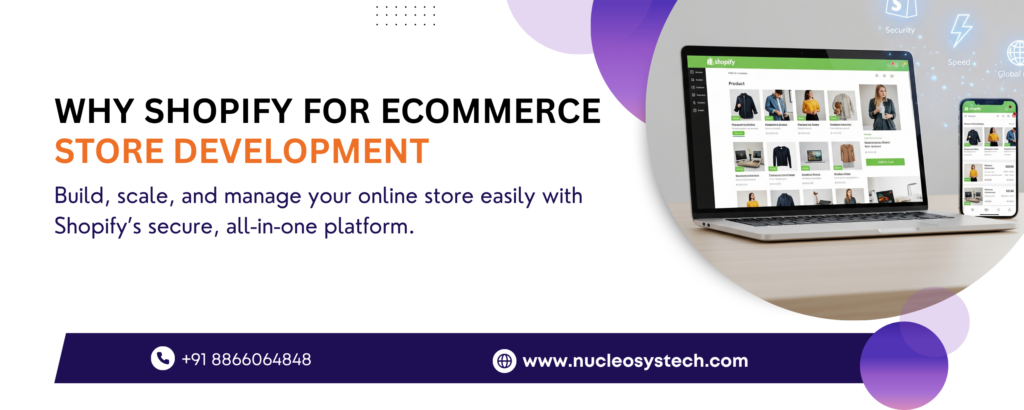
In today’s fast-paced digital economy, building a powerful, reliable, and high-converting online storefront is no longer optional—it is a fundamental necessity for business survival. As consumer shopping behaviors continue to shift toward digital-first experiences, business owners face a critical decision: which platform offers the best foundation for long-term commercial success? When evaluating speed, security, design flexibility, and conversion performance, one platform consistently leads the global market. Understanding why Shopify for ecommerce store development remains the preferred choice for millions of merchants provides a clear blueprint for sustainable online growth. Shopify has revolutionized digital commerce by offering a fully hosted, enterprise-grade infrastructure that caters to businesses of all sizes. Whether you are launching an innovative direct-to-consumer (DTC) brand, transitioning an established brick-and-mortar retail business, or expanding a global enterprise portal, choosing the right ecommerce platform comparison metrics shows that Shopify delivers unrivaled scalability. In this comprehensive handbook, we will explore why industry leaders prefer Shopify, analyze its core architectural advantages, unpack its built-in marketing ecosystem, and demonstrate how partnering with professional developers can transform your storefront into a high-yielding sales engine. The Modern Ecommerce Landscape: Speed, Security, and Scalability Before diving into platform features, it is vital to understand the operational expectations of modern online shoppers. Today’s consumers demand lightning-fast page loading speeds, frictionless mobile checkout flows, absolute data security, and personalized shopping journeys. If a storefront takes longer than three seconds to render, potential buyers bounce directly to competitors. To meet these demanding expectations, merchants must leverage robust software architectures that eliminate technical overhead while optimizing front-end user experience. This is precisely why Shopify for ecommerce store development has become the industry standard. By consolidating domain hosting, content management, payment gateways, and inventory control into a single unified dashboard, Shopify empowers brands to focus on marketing and customer retention rather than managing server crashes and security patches. Industry statistics reinforce this shift toward fully hosted solutions. According to Statista’s Global Ecommerce Market Report, global online retail sales continue to expand exponentially, with hosted commerce engines powering a massive share of top-ranking merchant sites. Furthermore, official developer standards outlined in Shopify Developer Documentation highlight how modern headless APIs and Liquid templating engines enable merchants to deliver custom, high-speed shopping experiences across any digital device. Key Reasons Why Shopify for Ecommerce Store Development Drives Unmatched Business Growth Selecting an ecommerce engine requires balancing immediate deployment costs with long-term technical adaptability. Below are the primary reasons why global merchants consistently select Shopify for their digital storefronts. 1. High-Performance Shopify Hosted Solution Infrastructure Managing custom server environments, updating database software, and configuring SSL certificates can quickly drain technical resources. Shopify operates as a fully managed Shopify hosted solution, handling all backend server maintenance, software updates, and server infrastructure globally. Built on top-tier cloud architecture with integrated Content Delivery Networks (CDNs), Shopify storefronts enjoy a 99.99% uptime guarantee. Consequently, during high-volume sales events such as Black Friday or flash promotional drops, your store handles sudden traffic surges without performance degradation. 2. Industry-Leading Ecommerce Payment Gateways and Shop Pay Conversion rate optimization hinges heavily on checkout friction. Shopify provides seamless integration with over 100 global ecommerce payment gateways, including PayPal, Stripe, Apple Pay, Google Pay, and localized regional payment providers. Furthermore, merchants gain access to Shop Pay, Shopify’s proprietary accelerated checkout engine. Research shows that Shop Pay increases checkout conversion rates by up to 18% compared to standard guest checkouts, allowing buyers to complete transactions with a single click. 3. Native Responsive Ecommerce Design Framework With mobile devices driving over 60% of total online transactions globally, mobile responsiveness is critical for digital success. Every default and custom theme built for Shopify utilizes a mobile-first responsive ecommerce design framework. This ensures that product media, navigation menus, and cart flows automatically adapt to smartphones, tablets, and desktop displays, maximizing organic search rankings and user engagement. 4. Robust Shopify SEO Features and Search Visibility Driving organic traffic requires strict adherence to technical search guidelines. Out of the box, Shopify includes built-in Shopify SEO features that simplify indexation for search engines. The platform automatically generates XML sitemaps, canonical tags, clean URL structures, and customizable meta titles, descriptions, and alt text fields, ensuring your product pages earn top positions in organic search engine results. 5. Advanced E Commerce Security Standards and PCI Compliance Handling customer credit card data and personal information requires enterprise-level security precautions. Every store built on Shopify automatically receives Level 1 PCI DSS compliance out of the box. This high level of e commerce security standards ensures that sensitive transactional data remains fully encrypted, protecting your brand from cyber threats, data breaches, and liability risks without requiring costly third-party security audits. Exploring the Massive Shopify App Ecosystem and Custom Integrations While Shopify’s core engine offers robust out-of-the-box functionality, modern commerce often demands specialized operational tools. The platform’s extensive marketplace allows merchants to extend store capabilities instantly. Extending Store Functionality via the Shopify App Store The Shopify app ecosystem features over 8,000 vetted applications covering every aspect of retail operations. Merchants can seamlessly install tools for: Email & SMS Automation: Integrating platforms like Klaviyo to launch abandoned cart recovery sequences and automated post-purchase upsells. Customer Loyalty & Rewards: Building customized reward programs to boost customer lifetime value (LTV) and repeat purchase rates. Inventory & Multi-Warehouse Sync: Managing complex supply chains, tracking stock levels across multiple locations, and automating reorder points. Subcription Management: Enabling recurring billing models for consumable products via tools like Recharge. Custom API Integrations and Headless Commerce For enterprise brands with specialized enterprise resource planning (ERP) systems, custom CRM portals, or legacy warehouse management software, Shopify offers powerful GraphQL and REST Storefront APIs. This enables custom development teams to build tailored integrations or execute headless commerce strategies, decoupling the front-end user experience from the backend commerce engine. Comparing Leading Platforms: Why Shopify Leads the Market To help technology leaders evaluate platform options objectively, the table below highlights key operational attributes across major digital engines: Operational Feature Shopify (Hosted Cloud) WooCommerce (Self-Hosted) Magento / Adobe Commerce Hosting
Why Hiring a Software Development Outsourcing Company in India Is a Smart Move in 2026
The global technology landscape is undergoing a massive structural transformation. As artificial intelligence, cloud-native architectures, and automated software pipelines reshape business models worldwide, enterprises and high-growth startups face unprecedented pressure to innovate rapidly. However, building advanced digital products internally has become increasingly difficult due to soaring local hiring costs, persistent engineering skill shortages, and accelerating time-to-market demands. In this challenging environment, understanding why hiring a software development outsourcing company in India is a smart move in 2026 is essential for technology leaders who want to maintain a competitive advantage. India has long been recognized as the undisputed global capital for information technology. Yet, the software development industry in India in 2026 looks vastly different from what it was a decade ago. Today, Indian tech firms have evolved far beyond basic cost-arbitrage and routine maintenance. They now operate as strategic innovation hubs powered by advanced artificial intelligence capabilities, cloud-native engineering, robust cybersecurity standards, and agile delivery models. Whether you are looking to accelerate product development, modernize legacy IT infrastructure, or scale an engineering team on demand, choosing to partner with a specialized software outsourcing provider in India allows you to unlock high business velocity and sustainable profitability. The 2026 Global Tech Landscape: Talent Shortages and the AI Shift To understand the value proposition of global engineering partnerships, one must analyze the macroeconomic realities of today’s technology ecosystem. In 2026, companies across North America, Europe, and Australia are encountering two primary operational hurdles: an acute shortage of specialized engineering talent and the urgent necessity to integrate artificial intelligence into core business workflows. According to global research from Statista’s IT Outsourcing Market Analysis, global demand for external IT services continues to surge as organizations seek to streamline operational expenses while accelerating digital transformation projects. Furthermore, reports from the Deloitte Global Outsourcing Survey highlight that over 75% of global technology executives actively rely on external engineering partners to bridge critical skill gaps in cloud engineering, cybersecurity, and artificial intelligence. When local hiring pipelines fall short, trying to recruit full-stack engineers, cloud architects, and data engineers domestically often results in prolonged hiring cycles, elevated recruitment fees, and inflated compensation packages. Consequently, expanding your engineering capabilities through offshore software development in India provides immediate access to world-class technical talent without the overhead associated with local headcount expansion. Core Drivers: Why Hiring a Software Development Outsourcing Company in India Is a Smart Move in 2026 Deciding where to delegate your critical software engineering needs requires evaluating technical quality, cost structures, operational reliability, and cultural alignment. Below are the primary reasons why partnering with a premier Indian software engineering firm is the optimal business strategy in 2026. 1. Unrivaled Access to an Expanding IT Talent Pool in India India boasts the world’s largest and fastest-growing technical workforce. Each year, over 1.5 million engineering and computer science graduates enter the Indian job market, fueled by top-tier technical universities and specialized technology institutes. Furthermore, the IT talent pool in India has aggressively upskilled in frontier technologies. Indian developers are no longer just building standard web applications; they are building complex generative AI models, enterprise microservices, real-time analytics platforms, and decentralized cloud environments. When you choose to hire dedicated software developers in India, you tap into a vast ecosystem of experienced engineers ready to deploy on short notice. 2. Significant Cost Optimization Without Sacrificing Quality Cost containment remains a primary operational priority for CFOs and CTOs. However, in 2026, cost savings mean little if code quality, application performance, or security are compromised. Partnering with an Indian software engineering firm offers cost-effective IT outsourcing that balances financial efficiency with top-tier execution. Operating costs and software engineer compensation in India allow Western enterprises to achieve 40% to 70% overall savings compared to domestic hiring. These saved capital reserves can then be redirected toward market expansion, customer acquisition, and strategic R&D. 3. Speed to Market via Agile Software Engineering In modern digital markets, being first to market with a feature-rich product often determines long-term commercial success. Indian outsourcing providers emphasize agile software engineering frameworks, continuous integration/continuous delivery (CI/CD) automated testing, and rapid sprint cycles. By utilizing structured Agile methodologies, Indian software teams deliver working software increments every two weeks. This enables your product managers to test user feedback, iterate rapidly, and pivot software functionality without interrupting core business operations. 4. Overlapping Time Zones and 24/7 Continuous Productivity The geographic distance between Western markets and India is often viewed as a logistical challenge, but strategic leaders leverage it as a major competitive advantage. The 9.5 to 12.5-hour time zone difference between India and Western nations enables a continuous “follow-the-sun” development cycle. When your internal project team concludes their workday in New York, London, or San Francisco, your offshore engineering team in India picks up the work. Code reviews, bug fixes, feature deployments, and quality testing occur overnight, ensuring that updated builds are ready for review when your local team wakes up the next morning. 5. Enterprise-Grade Security, Intellectual Property, and Compliance Data privacy and intellectual property (IP) security are non-negotiable for enterprise software initiatives. Leading software development firms in India comply with stringent international standards, including ISO 27001 (Information Security Management), GDPR, HIPAA, and SOC 2 Type II certifications. Professional software outsourcing companies enforce strict Non-Disclosure Agreements (NDAs), secure code repositories, encrypted data channels, and strict access controls. This ensures that your proprietary source code, trade secrets, and customer data remain fully protected under law. Key Technology Domains Dominated by Indian Software Outsourcing in 2026 The breadth of technical expertise available within Indian software companies covers every tier of modern enterprise technology. Key domain specializations include: AI Software Development and Machine Learning Solutions In 2026, artificial intelligence is an integral requirement for modern enterprise software. Indian engineering teams excel at AI software development, including custom Large Language Model (LLM) fine-tuning, retrieval-augmented generation (RAG) architectures, natural language processing (NLP), predictive analytics engines, and autonomous computer vision systems. Integrating AI agents into your business software automates manual workflows and unlocks actionable insights from enterprise data. Cloud-Native
Software development outsourcing in India
With increasing globalization, software development outsourcing in India has become a trend. Over the years India has become a major offshore software development center. Most of the leading software companies are now outsourcing the work because it’s more convenient, less expensive, and allows them to focus on other core functions of their business. According to the National Association of Software and Services Companies (Nasscom), India is the world’s preferred software development outsourcing destination. Six Reasons to Choose India-based software outsourcing company. Some of the main reasons that make India the most desirable outsourcing destination are: India has highly skilled developers, low labor costs, market size, and innovation. India is a strong competitor to other Asia Pacific countries in terms of maturity, market penetration, resource pool, and brand. Academic Skills: India produces 1 million technical graduates annually specializing in cloud, analytics, software application development, and digital marketing. The Indian IT / ITeS industry has a strong and established customer presence in North America and Europe with customers from industries such as Healthcare, Manufacturing, Retail, BFSI, Media, and Entertainment, among others. India ranks third in Asia for English proficiency according to the EF English Proficiency Index. The English language has developed and spread so widely in India that it is spoken in the country on a par with the rest of the English-speaking world. With an average age of 29, India is well on the way to becoming the country with the youngest and largest workforce. It is estimated that India will have around 2 billion English speakers by the end of 2020. Apart from the immediate benefits like lower costs, flexibility, and higher productivity, there are certainly other long-term benefits that make outsourcing software development to India an extremely profitable business suggestion. Offshoring software development to India also enables a company to concentrate more on core business areas and thus increase profits. Most startups, infect, every SMEs Company have great potential, but they also lack the resources. Outsourcing can be a great boom for them. Nucleosys Tech is a Software development outsourcing Company in India. Having extensive experience providing software outsourcing services to clients and businesses of all sizes, whether small, medium, or large, worldwide. Our focus on new technologies, a rich pool of qualified and experienced resources, proven processes as well as quality and adherence to deadlines make us an attractive option for companies looking for a software outsourcing company from India. Here are some compelling reasons why you should opt for Nucleosys Tech as a Software development outsourcing company in India: Subject Matter Expertise Reducing Operational Cost Timely delivery of work Better Risk Management Better focus on your core responsibilities Increased Quality & Efficiency Post Maintenance support Flexible Models One-Stop Solution Reduced Downtime Higher Security and Vast Pool of Global Resources for Technology Multidisciplinary choice of the right technology Enhancing User satisfaction Software development outsourcing Services in India Some of the Core Services provided by Nucleosys Tech are: Website Design and Development Custom Web Development Mobile App Development Ecommerce Web Development Digital Marketing Product Development QA & Testing Conclusion: India has become the epitome of software outsourcing hubs in the world due to its immensely talented and specialized workforce, value for money, and strict corporate standards. Reduce your business work and risk by Outsourcing Software Development companies in India. Let us know what you are looking for be it any kind of outsourcing services from development, UI/UX design, Digital Marketing, ERP Development, Ecommerce Web Development, or other.
Best Social Media Marketing Company in Pune: Amplify Your Brand’s Voice
In today’s digital-first world, social media isn’t just a place for social interaction—it’s a powerful business tool. From small startups to large enterprises, every brand is vying for attention, engagement, and conversions across platforms like Facebook, Instagram, LinkedIn, Twitter, and YouTube. If you’re looking to grow online, it’s time to partner with the Best Social Media Marketing Company in Pune—a team that can help your brand cut through the noise and connect with your audience meaningfully. Why Social Media Marketing Matters in 2025 The way consumers interact with brands has changed drastically. Traditional ads are no longer as effective as they used to be. Today, customers expect brands to be active, responsive, and engaging on social media. With billions of users across platforms, your business has the opportunity to: Increase brand awareness Drive targeted traffic to your website Generate qualified leads and conversions Build customer loyalty and trust Monitor market trends and customer sentiment But achieving these results requires more than just posting content. You need a strategy, creativity, analytics, and consistency—all of which come from working with professionals. What Makes a Company the “Best” in Social Media Marketing? When evaluating agencies, the “best” isn’t just about having a flashy portfolio. It’s about real, measurable results and a client-first approach. Here’s what sets the Best Social Media Marketing Company in Pune apart from the rest: 1. Strategic Planning They don’t just post for the sake of posting. Every campaign is backed by research, audience analysis, competitor insights, and defined KPIs. 2. Platform-Specific Expertise Each social media platform serves a different purpose. An expert company knows how to create tailored content strategies for each—whether it’s short-form reels for Instagram, in-depth posts on LinkedIn, or influencer collaborations on YouTube. 3. Creative Content Creation Content is still king—but only when it’s engaging. From graphic design to copywriting to video editing, the best agencies deliver thumb-stopping content that aligns with your brand voice. 4. Paid Ads Management Organic reach can only get you so far. Paid social advertising ensures your content reaches the right audience. A skilled agency handles ad creatives, targeting, budget allocation, A/B testing, and conversion tracking. 5. Analytics & Reporting Data-driven decision-making is key to improvement. The best agencies provide detailed analytics on reach, engagement, clicks, conversions, and ROI—so you always know what’s working and what isn’t. Why Choose a Social Media Marketing Company in Pune? Pune has emerged as a leading IT and marketing hub in India. Here’s why businesses prefer working with a social media marketing company in Pune: Highly Skilled Talent Pool: Pune is home to some of India’s top marketing professionals and creative minds. Cost Efficiency: You get world-class quality at a much more affordable cost compared to metro cities. Local Market Understanding: For businesses targeting Pune or Maharashtra, working with a local team offers the added advantage of regional insights and language fluency. Services Offered by the Best Social Media Marketing Companies A top-tier agency in Pune will offer a full suite of services, including: Social Media Strategy Development Content Calendar Planning Graphic & Video Content Creation Community Management Influencer Marketing Social Media Advertising (Facebook, Instagram, LinkedIn, Twitter) Campaign Optimization Monthly Performance Reports These services are designed to work together and deliver long-term growth. Real Results: A Client Success Story Client: E-commerce fashion brandChallenge: Low brand visibility and poor engagement on InstagramSolution: Developed a themed content strategy with influencers and storiesOutcome: 250% increase in engagement in 3 months 70% growth in Instagram followers 35% boost in website traffic from Instagram This success story is a testament to what can be achieved when you work with the Best Social Media Marketing Company in Pune. How to Know It’s Time to Hire an SMM Agency You may need expert help if: You’re struggling to maintain a consistent posting schedule Your engagement and reach are stagnant You’re unsure how to run or optimize paid ad campaigns You’re expanding to new markets and need a targeted strategy Your in-house team lacks the time or expertise If you checked off any of these, it’s time to explore a professional partnership. Future Trends in Social Media Marketing Social media continues to evolve rapidly. Partnering with the best agency ensures you’re always ahead of the curve. Here are some emerging trends: AI-powered content creation and personalization Short-form vertical video dominance (Reels, Shorts, TikToks) Social commerce and live shopping events Influencer partnerships with micro and nano influencers Interactive content: polls, quizzes, and Q&As Staying updated with these trends requires agility and constant innovation—traits that define top-performing agencies. Final Thoughts In today’s competitive digital landscape, your brand’s social presence is more than just a checkbox—it’s a core growth driver. Investing in professional help ensures you don’t just stay visible, but stay relevant and engaging. Choosing the Best Social Media Marketing Company in Pune means investing in creative strategy, measurable growth, and long-term customer relationships. Whether you’re launching a new brand or scaling your business online, the right agency will help you unlock the true potential of social media.

