
Last Updated on November 26, 2026 by Nucleosystech
Deploying an AI chatbot for business promises instant replies at any hour, yet many teams still worry about cold answers and frustrated buyers. Choosing between automated responses and live staff is not an all-or-nothing choice. Smart leaders divide work by risk, complexity, and speed so customers get fast help without losing human care.
Support queues grow louder every quarter as buyers expect answers in seconds rather than hours. Meanwhile, support specialists spend too much time copying order numbers, resetting passwords, or routing basic questions. When you map out AI chatbot vs human support clearly, automation removes repetitive friction while keeping people focused on high-trust conversations.
Where an AI Chatbot for Business Wins First
An AI chatbot for business shines on high-volume, predictable requests where speed and consistency matter most. When a buyer asks about store hours, shipping windows, pricing tiers, or document status, waiting in a queue adds zero value. Automated systems can answer immediately across web chat, messaging apps, and portals without fatigue.
Strong business process automation using AI goes beyond canned replies. Modern bots connected to CRM records, order databases, and ticketing tools can look up live account data, schedule demos, or collect intake details before a rep joins. Research from Gartner on customer service chatbots shows that reliability matters more than wide reach: a focused bot that solves narrow tasks cleanly earns far more trust than one that guesses across every topic.
Key areas where automation delivers fast returns include:
- Tier-1 FAQs and policy lookups: Answering repeatable questions on billing cycles, return rules, onboarding steps, and product specs in seconds.
- Lead capture and qualification: Asking structured qualifying questions, scoring intent, and booking calendar slots automatically.
- Routine status updates: Checking shipment tracking, ticket progress, or appointment times through secure backend lookups.
AI ConversAgent - Pre-agent data gathering: Collecting order IDs, screenshots, or error details before handing a ticket to a specialist.
Teams exploring AI chatbots and virtual assistants often start with these high-frequency workflows because results are easy to measure. You can track containment rate, first-response time, and ticket deflection within weeks rather than waiting months.
AI Chatbot vs Human Support: A Practical Side-by-Side View
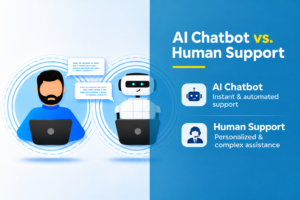
Comparing AI chatbot vs human support helps operations leads stop guessing which channel owns which task. Software excels at recall, speed, and parallel handling across hundreds of concurrent chats. Humans excel at judgment, empathy, negotiation, and edge cases where policy alone does not fit.
| Dimension | AI Chatbot for Business | Human Support Team |
| Response speed | Near-instant, 24/7 across time zones | Bound by shift hours, queue depth, and handle time |
| Concurrency | Handles hundreds of routine chats at once | Handles limited active threads with higher cognitive load |
| Complex troubleshooting | Limited when root causes are ambiguous or novel | Strong at multi-step diagnosis and root-cause discovery |
| Emotional nuance | Can sound stiff or miss subtle frustration | Reads tone, de-escalates tension, and builds loyalty |
| Account & edge exceptions | Risky without strict guardrails and approvals | Safe for custom concessions, billing disputes, and exceptions |
| Cost structure | Higher upfront build/tuning, low marginal cost per chat | Higher ongoing staffing cost as volume scales |
Notice that neither option wins every row. If you push every chat to bots, frustrated customers churn after a bad experience. If you keep every routine lookup manual, payroll rises while response times slip.
What You Should Never Automate Without Human Oversight
Some moments in customer service carry high financial, legal, or emotional stakes. Automating those moments too early creates costly mistakes that erode brand trust fast. According to Gartner’s research on human access in GenAI service, most customers still consider access to a real person essential when AI is used in support.
Avoid full automation in situations like these:
- Angry or churn-risk accounts: When a long-time client threatens to cancel or escalates a service failure, empathy and flexibility matter more than speed.
- Billing disputes and refunds: Issuing credits, waiving fees, or resolving chargebacks requires clear accountability and policy judgment.
- High-value B2B deals and renewals: Enterprise buyers negotiating contracts or custom scope want consultative guidance from an account specialist.
- Safety, compliance, or legal questions: Unverified claims around compliance, warranties, or medical/financial guidance create serious liability.
A smart safety rule is simple: let the bot assist and draft, while humans approve high-impact decisions. If confidence drops or sentiment turns negative, route the chat to a person right away.
How to Build an AI Customer Support Chatbot That Actually Works
Many companies buy generic chat widgets and wonder why buyers ignore them. An effective AI customer support chatbot depends on clean knowledge sources, clear boundaries, and live system integration—not just clever prompts.
1. Ground Answers in Verified Knowledge
Connect the assistant to approved help articles, SOPs, product manuals, and current pricing sheets. Retire outdated PDFs and conflicting docs before launch so the bot does not repeat old rules. Set strict guardrails so it admits uncertainty rather than inventing answers.
2. Enable Real Actions, Not Just Text Replies
Modern AI software solutions add real business value when they complete tasks inside your stack. Instead of telling a user where to click, a well-integrated assistant can check inventory, update a profile, log a support ticket, or assign a lead to the right owner.
3. Design Seamless Human Handoffs
Make the option to reach a human visible and easy to find. When a handoff happens, pass the full chat transcript, user details, and attempted steps to the agent queue. Nobody wants to repeat their problem three times after a bot hits a dead end.
4. Tune Continuously Using Real Logs
Launch in phases with a narrow scope first. Review unanswered questions, fallback triggers, and low-rating chats every week. Update your knowledge base and workflow rules based on real user phrasing.
Custom AI Chatbot Development vs. Off-the-Shelf Tools
Off-the-shelf chat plugins work well for basic marketing FAQs on simple websites. However, growing businesses often hit limits around custom data schemas, multi-step approval flows, role permissions, and ERP or CRM integration.
Custom AI chatbot development lets you tailor workflows around how your business actually runs. You control data privacy boundaries, model routing, fallback logic, and integrations with internal tools. You can also connect conversational workflows to broader custom AI software development services when your operations need predictive routing, document extraction, or internal copilots.
To see how custom engineering fits your stack, explore Nucleosys Tech AI solutions and compare off-the-shelf limits against tailored automation. Investing in the right architecture upfront avoids expensive replatforming later.
Metrics That Prove Automation Is Working
Do not judge an assistant by chat volume alone. High chat volume paired with high escalation or repeat tickets can mean confusion rather than success.
Track these core metrics after launch:
- True resolution rate: Percentage of conversations solved without needing a human follow-up on the same issue.
AI ConversAgent - Handoff context quality: Whether agents resolve escalated chats faster because transcript data arrived intact.
- First-contact resolution (FCR): Whether customers stay solved after 24 to 72 hours without reopening the issue.
- Customer satisfaction (CSAT) by channel: Comparing satisfaction scores on bot-resolved chats versus human-resolved chats.
- Agent handle time and burnout: Whether human reps spend more time on meaningful work and less time on repetitive typing.
Ready to Automate the Right Workflows?
The right AI chatbot for business lowers response times, protects human agents from burnout, and keeps complex relationships in capable hands. If your team wants tailored automation connected to your existing tools and data, Discuss a Custom AI Solution with Nucleosys Tech to map out high-ROI workflows and build a reliable assistant for your business.
Frequently Asked Questions About AI Chatbot vs. Human Support
How do I choose between an AI chatbot for business and hiring more support agents?
Start by auditing your last 500 support tickets. If a large share consists of repetitive status checks, basic FAQs, or lead routing, an AI chatbot for business can absorb that load quickly. If most tickets involve complex troubleshooting, billing exceptions, or sensitive escalations, invest in skilled human agents alongside light bot triage.
Can an AI customer support chatbot work alongside a small support team?
Yes, small teams often benefit the most from a hybrid setup. An AI customer support chatbot can handle after-hours questions, gather context before shift start, and answer routine queries during peak hours. That frees a small team to focus on high-value customers and tough problems.
What is the biggest mistake businesses make with business process automation using AI?
The most common mistake is automating poorly documented processes or hiding human support behind endless bot loops. When business process automation using AI lacks clear fallback paths or accurate source data, customers get stuck and lose trust. Start with clean data, clear scope, and instant escalation to people when needed.
When does custom AI chatbot development make more sense than a standard tool?
Custom AI chatbot development makes sense when your workflows depend on proprietary databases, custom permissions, multi-step internal approvals, or specialized industry logic. Standard tools are faster for simple website Q&A, while custom builds give you deeper control over integrations, security, and long-term scalability.
How long does it take to see ROI from AI software solutions in support?
Simple FAQ and lead-capture bots can show measurable time savings within a few weeks of launch. Deeper AI software solutions integrated with CRMs, ticketing systems, and internal APIs typically take longer to build, but they deliver stronger long-term gains in resolution speed, data accuracy, and operational scale.